-
 files/QME-200-1.jpg
-
 files/QME-200-2.jpg
-
 files/QME-200-3.jpg
-
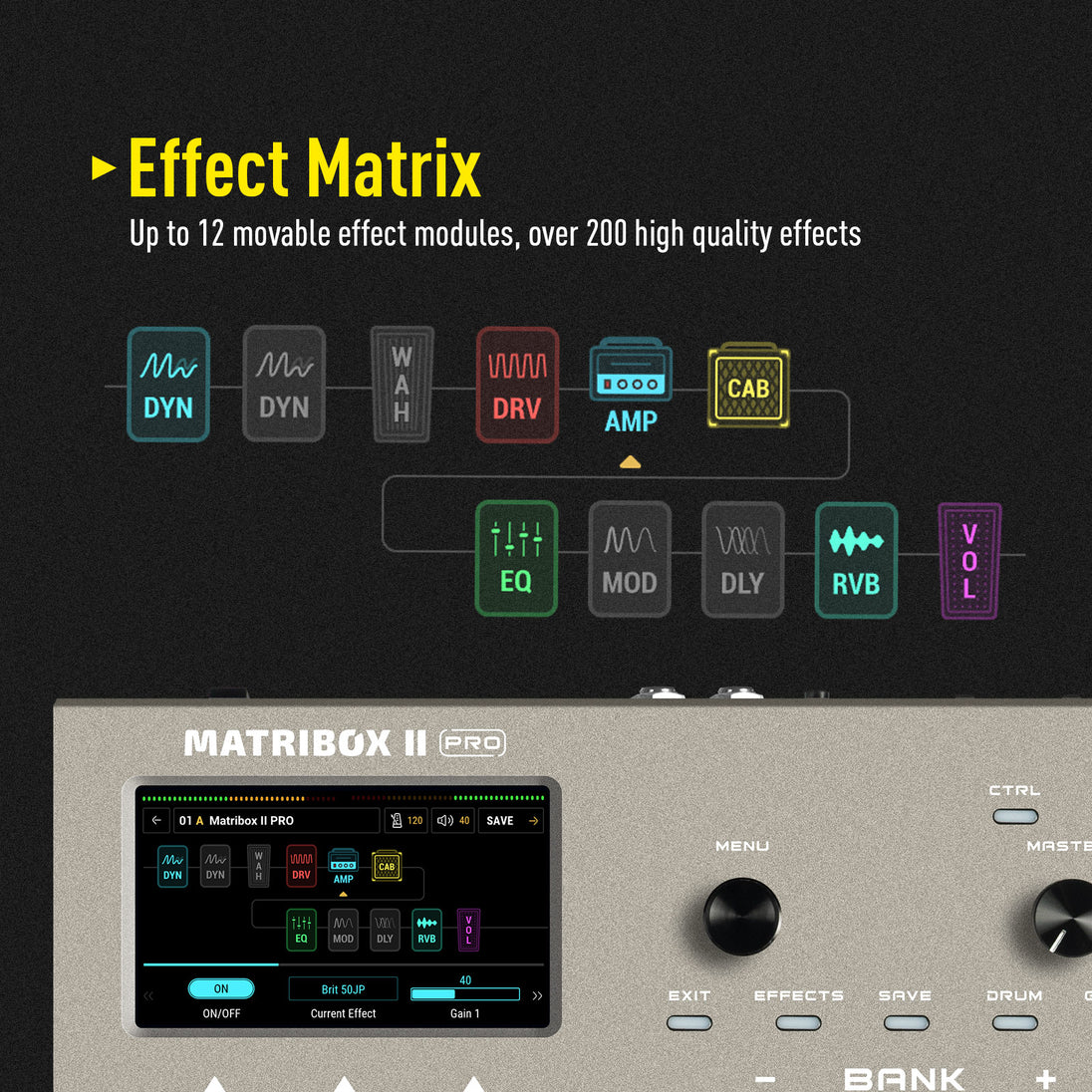 files/QME-200-4.jpg
-
 files/QME-200-5.jpg
-
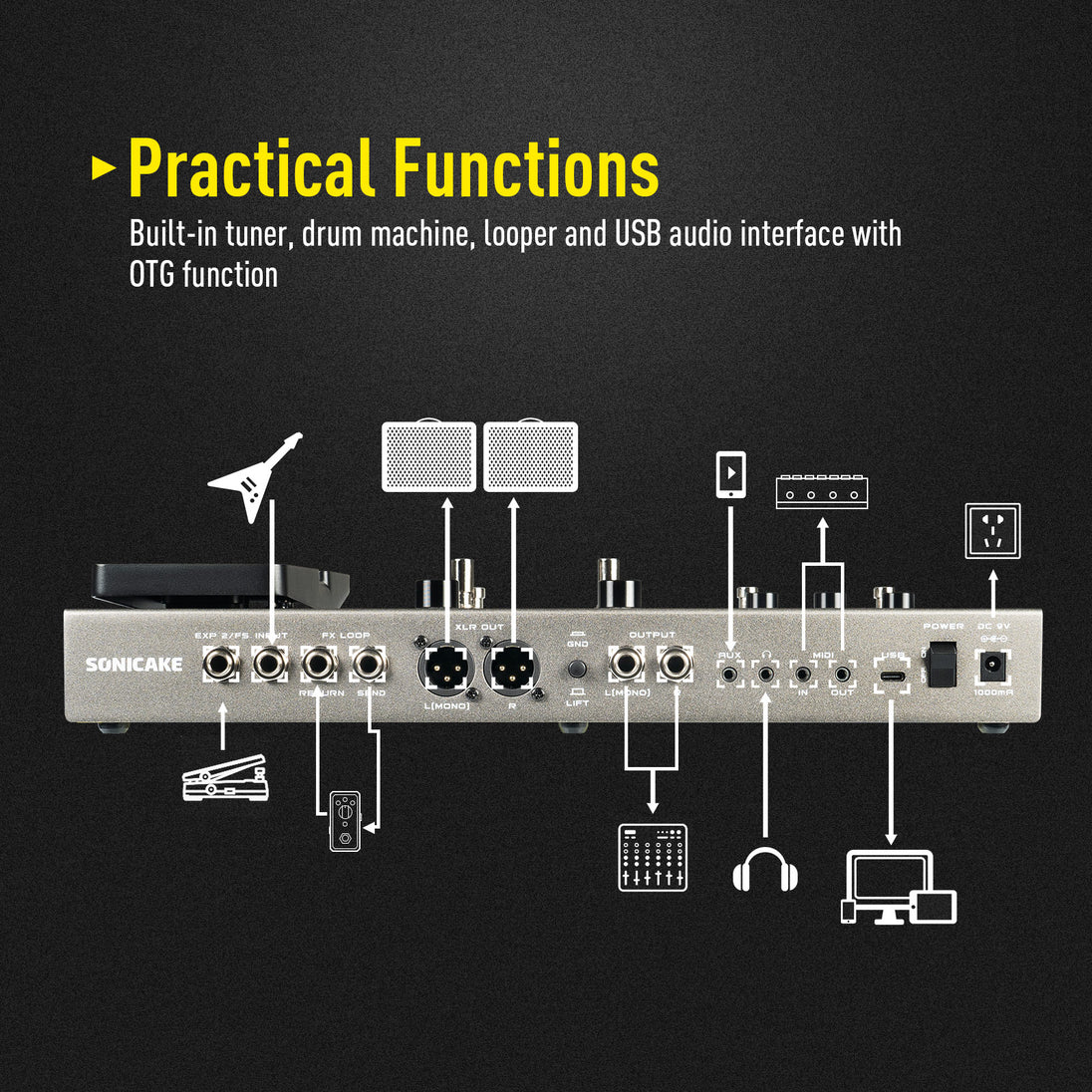 files/QME-200-6.jpg
-
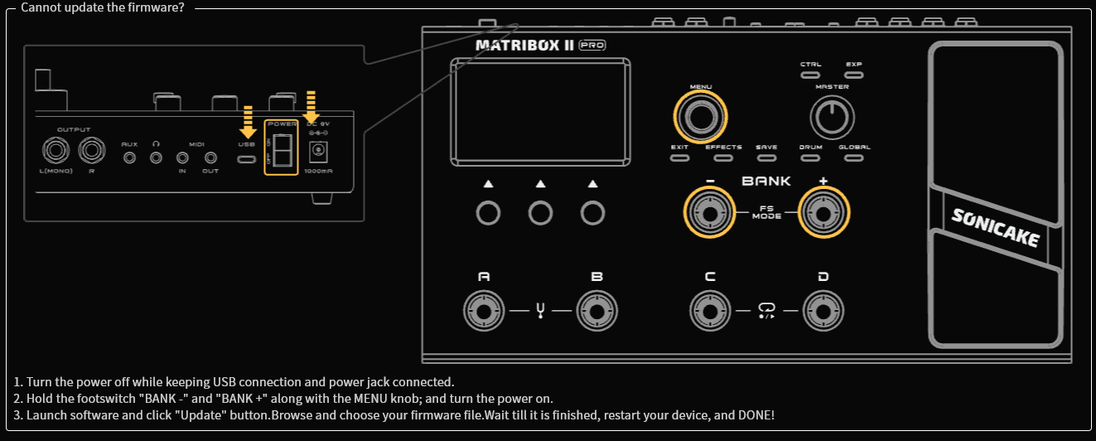 files/85B4E4FB-EAFF-498f-972A-B61D4BBC081C.png
-
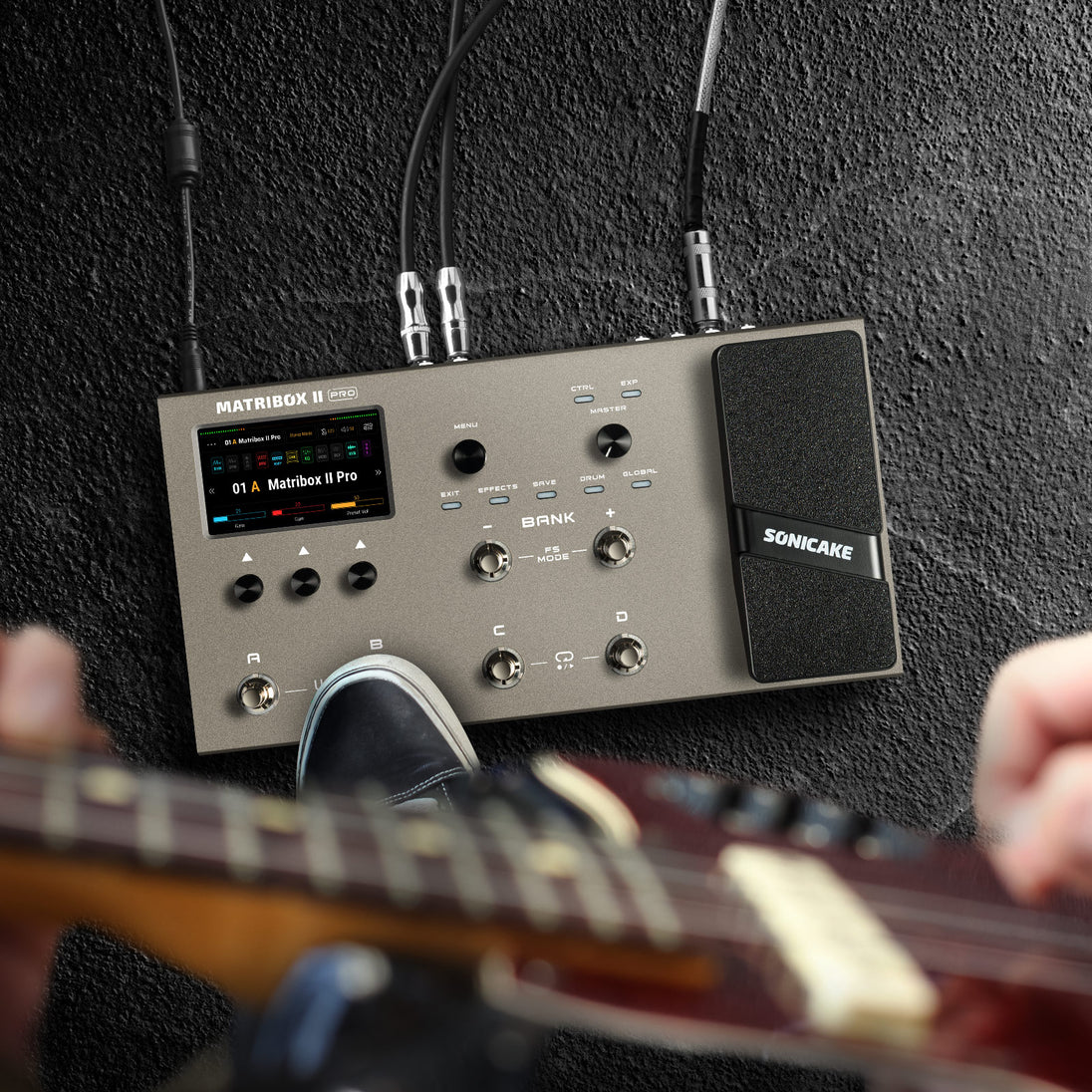 files/QME-200-7.jpg
-
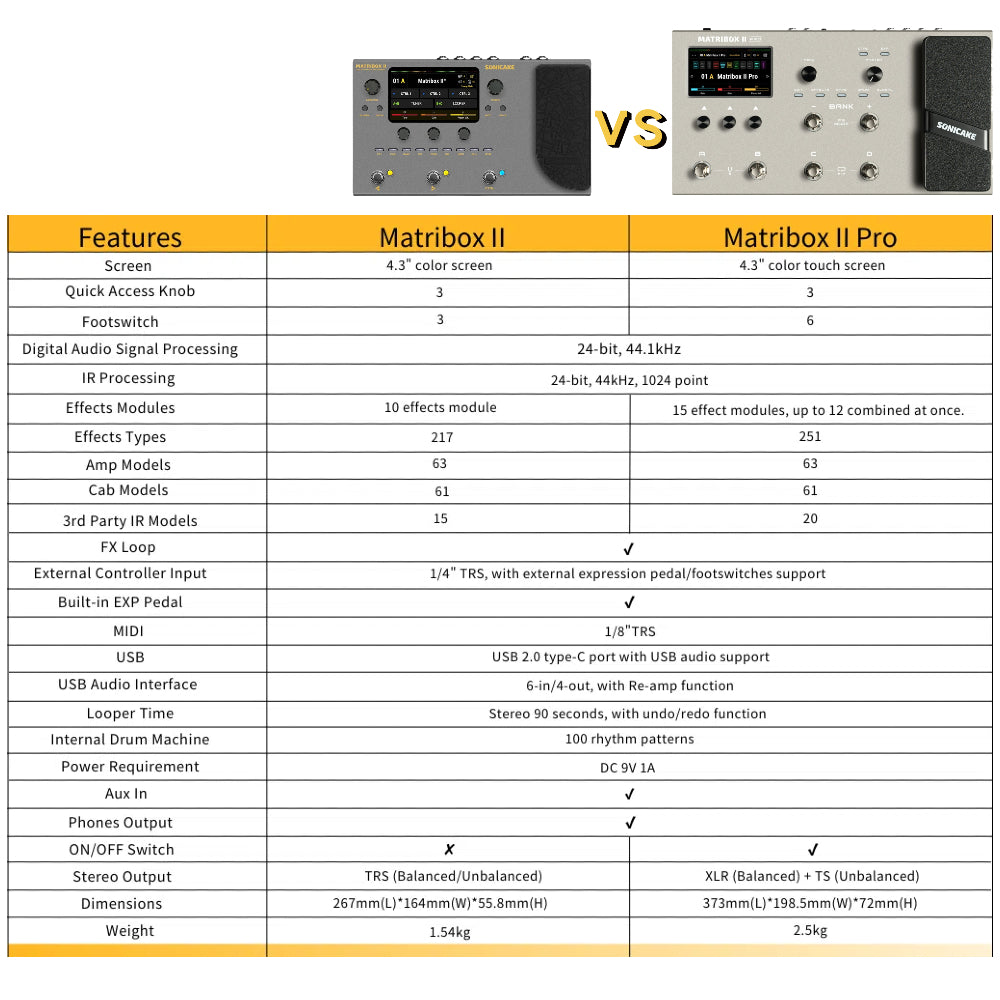 files/QME-100_vs_QME-200.jpg
-
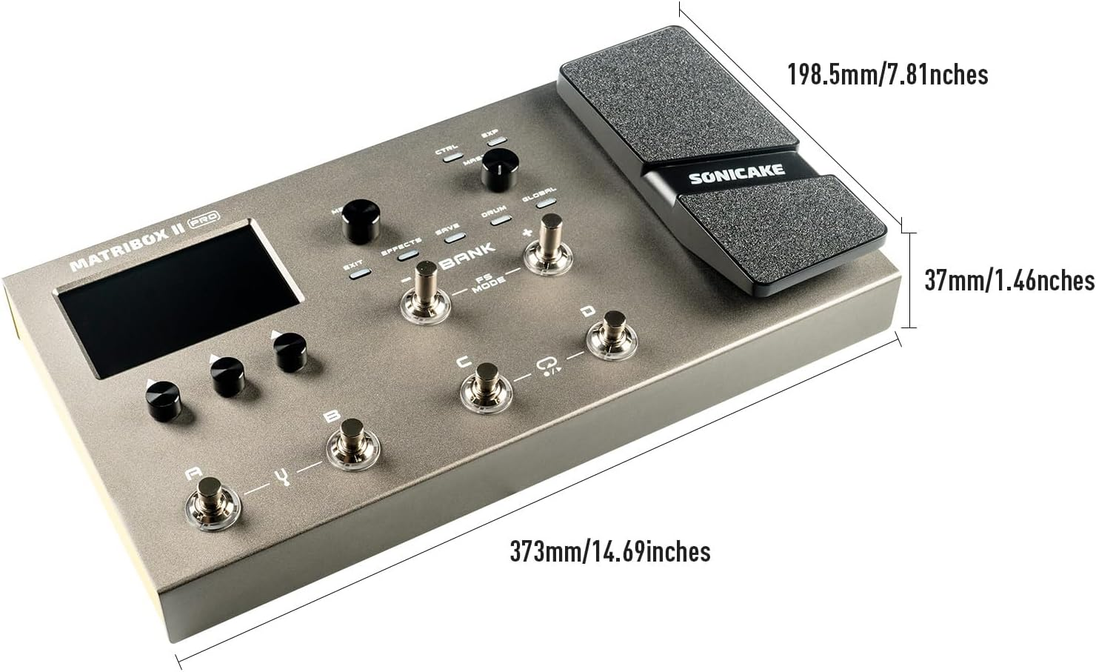 files/20240923134907.png
-
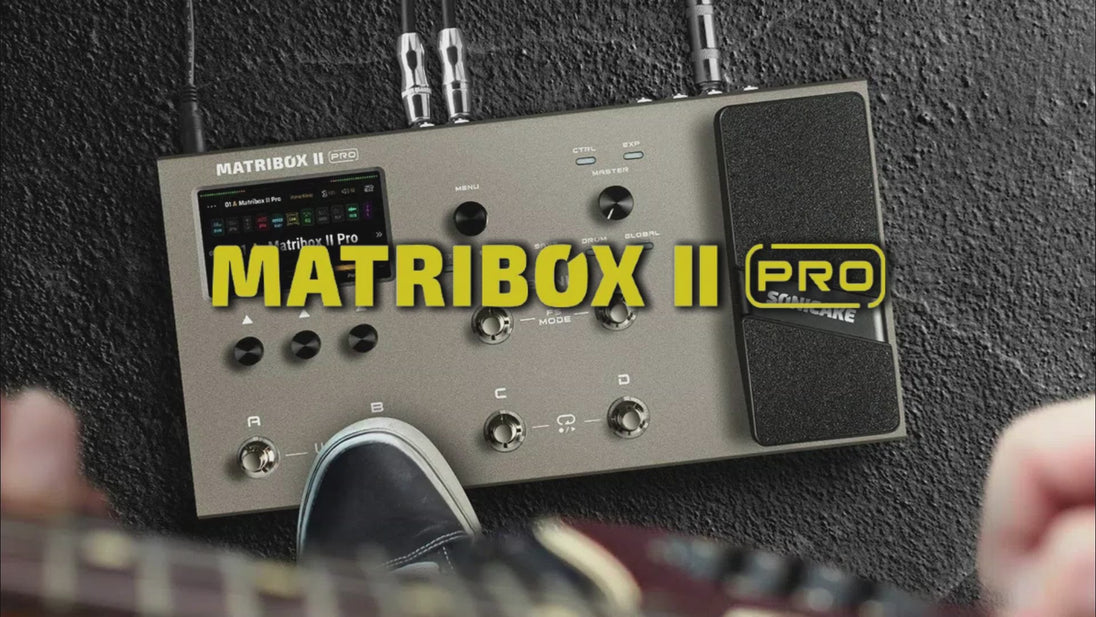 files/preview_images/e5c03bce2c064203a79e69e53ac6b524.thumbnail.0000000000.jpg
● New hardware and digital modeling technology accurately reproduce every detail of the sound with high fidelity and clarity.
● 240+ legacy amp and effects models.
● Stereo effects loop and expression pedal/ footswitch input and XLR out.
● USB Audio Interface with Stereo Audio Streaming, Support OTG function for directly connecting to iOS/Android Mobile Devices.
● Free Mac/Windows Software for Sound Editing and Presets Managing.
----------------------------------------------------
Latest Firmware
Matribox II Pro Firmware V1.2.2
Latest Software (NAM A2 Supported)
Matribox II Pro Software V1.3.1 for Mac
Matribox II Pro Software V1.3.1 for Windows
USB ASIO Driver
Sonicake USB ASIO Driver V5.57.1
User Manual
User Manual for Firmware V1.2.2
⚠️ Windows 11 Notice
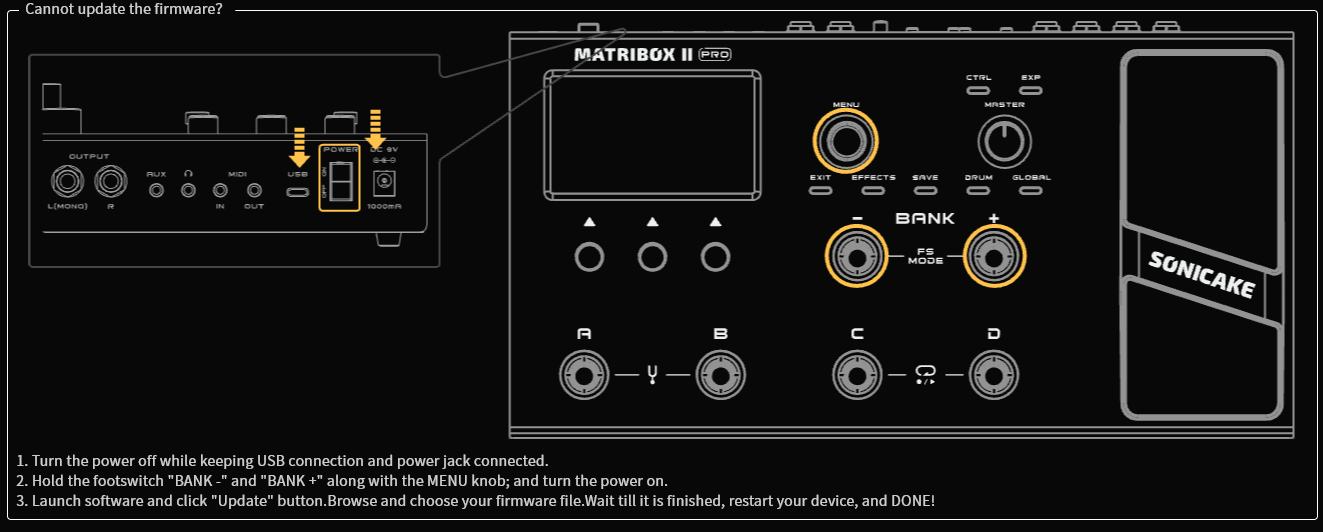
If you are using Windows 11 for firmware updates, please update the driver first to ensure a smooth connection.
Learn how to fix Windows 11 update issues.
Attention:
Please make sure to re-calibrate the built-in expression pedal after the update.
----------------------------------------------------
Description:
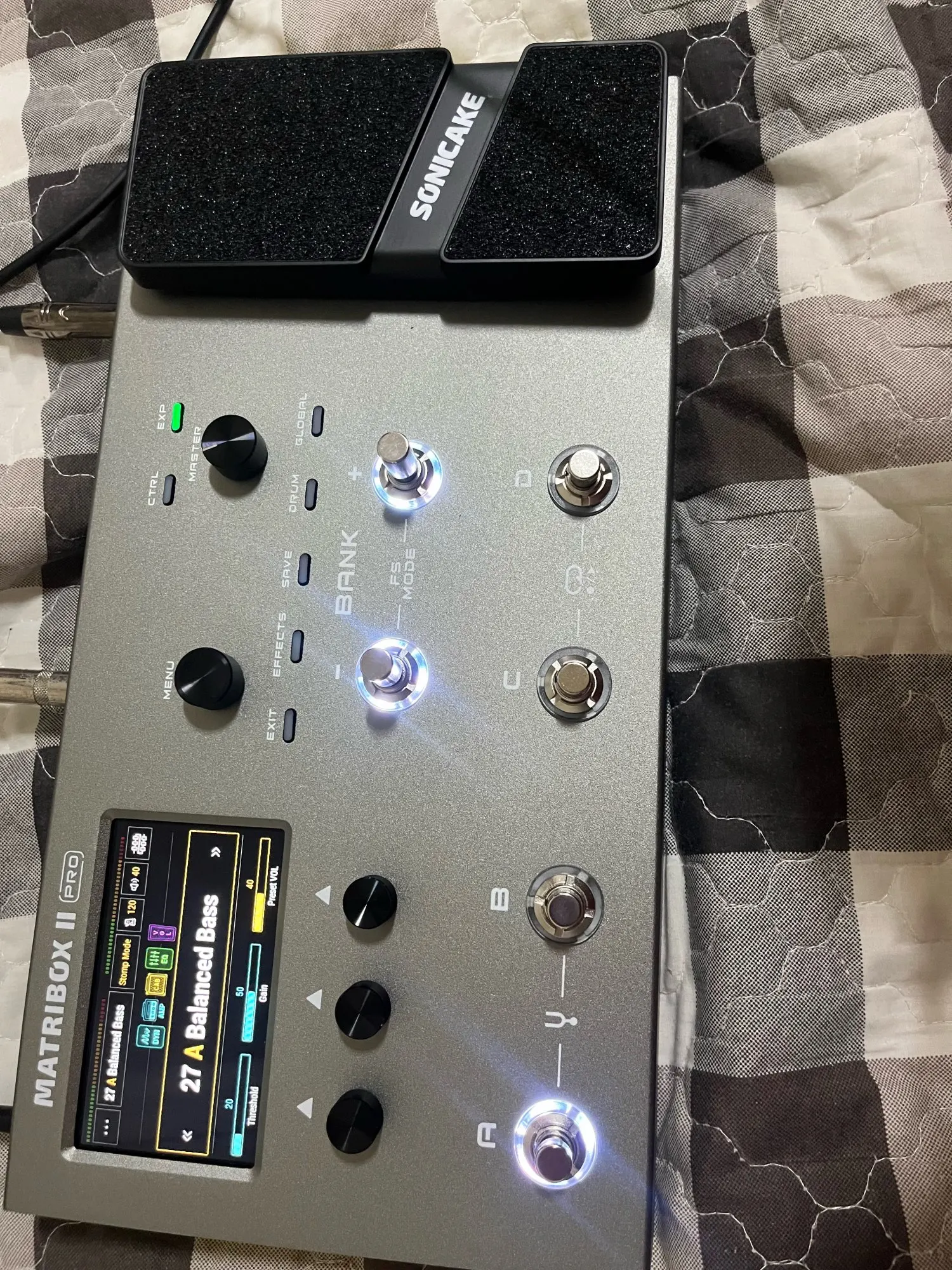
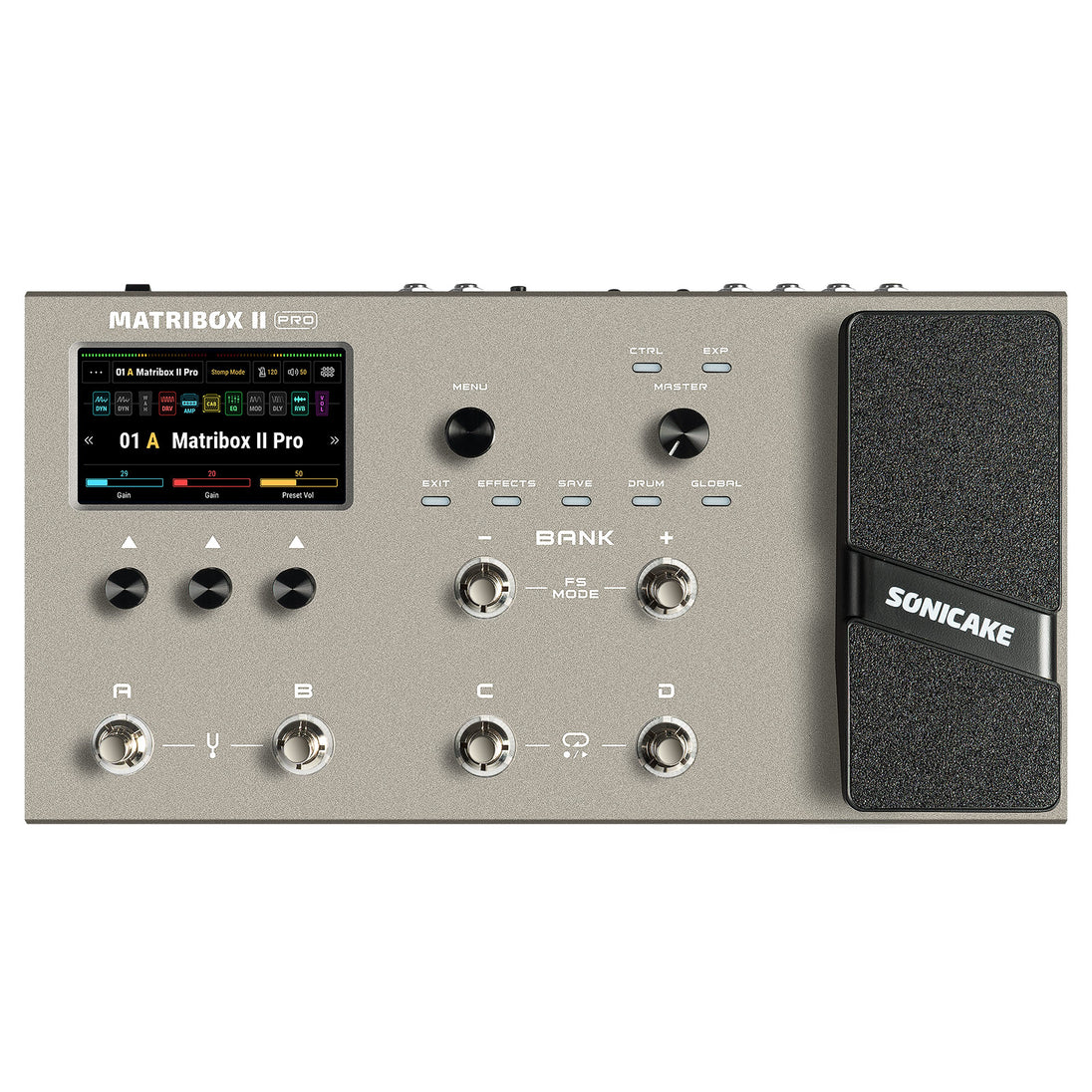
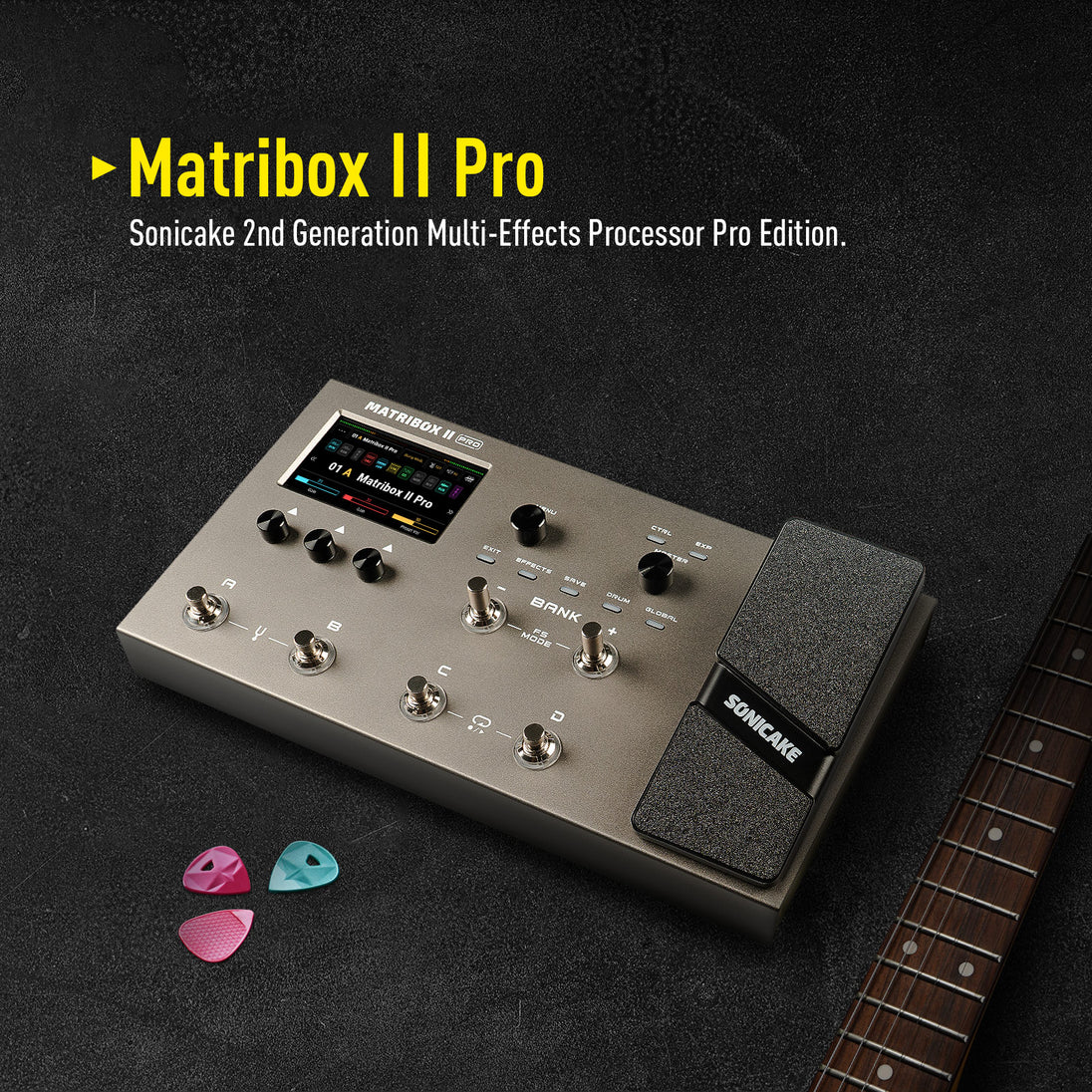
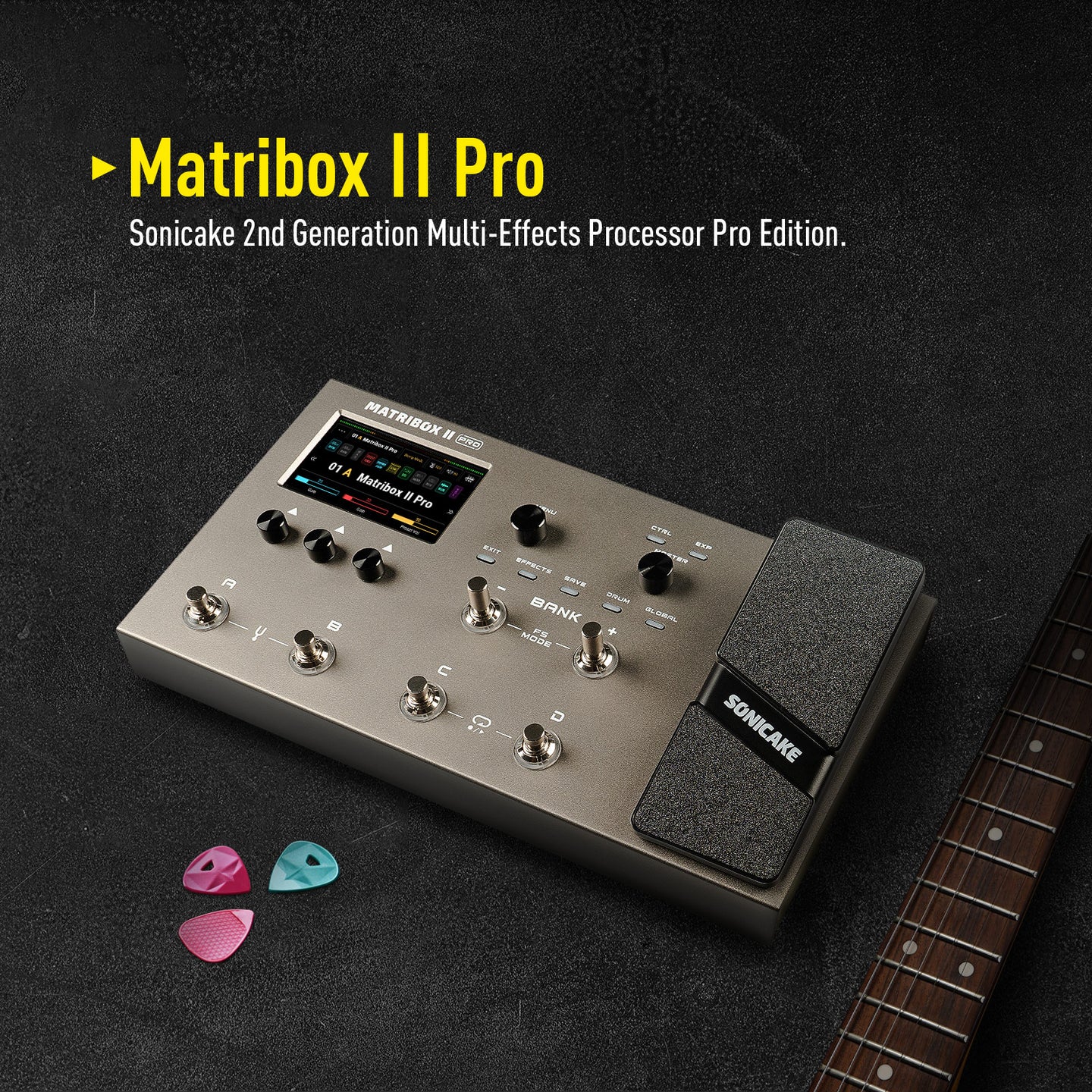
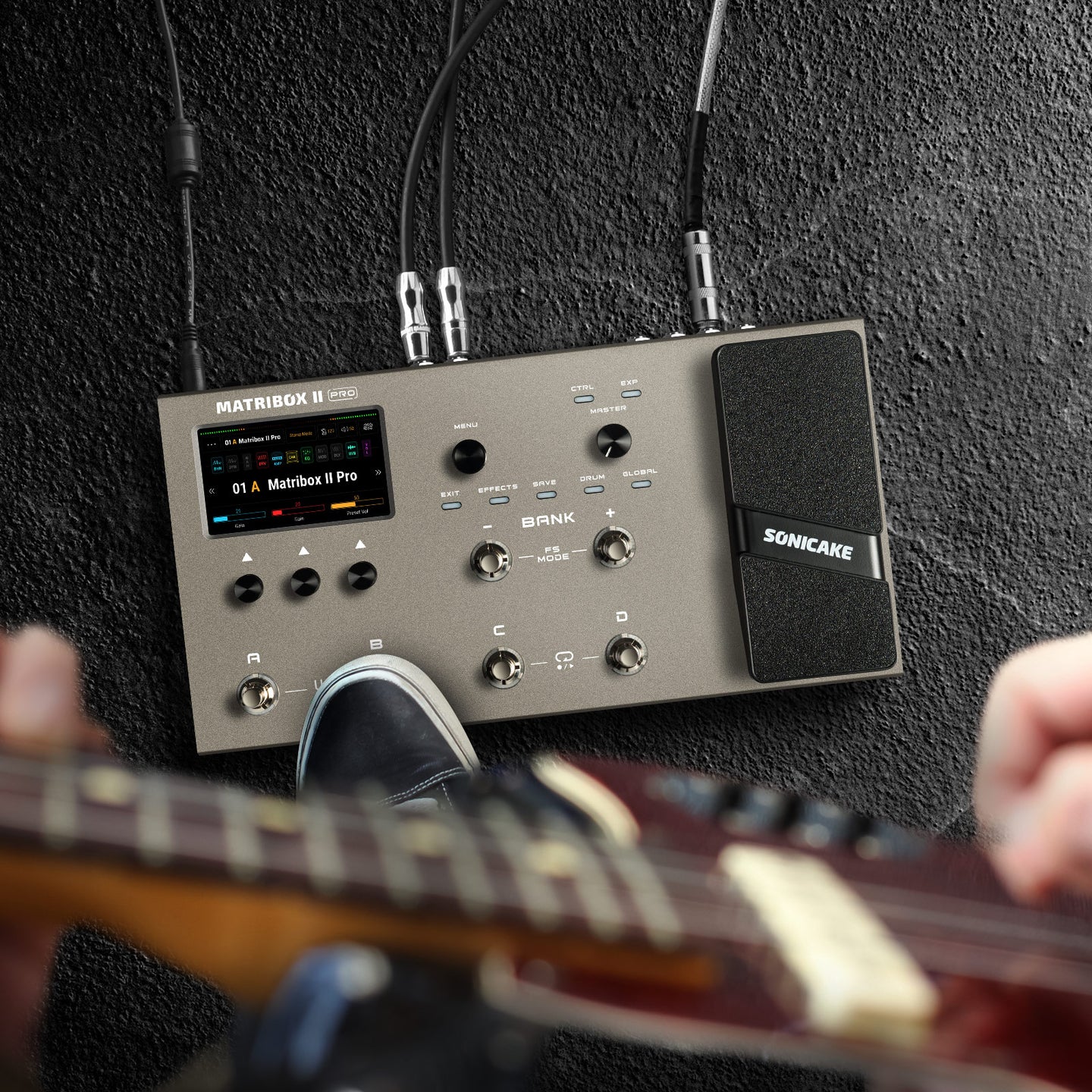
Matribox II Pro is the second generation Pro version of Sonicake's multi-effects processor. It inherits the rich technical accumulation of the previous generation of products and has made further breakthroughs in technology and quality. The new touch screen brings a more intuitive operation experience, and more pedals and interfaces bring more controllability. The new hardware platform and digital modeling technology can perfectly reproduce every detail of the sound, showing higher accuracy, clarity and fidelity to meet various creative needs.
Features
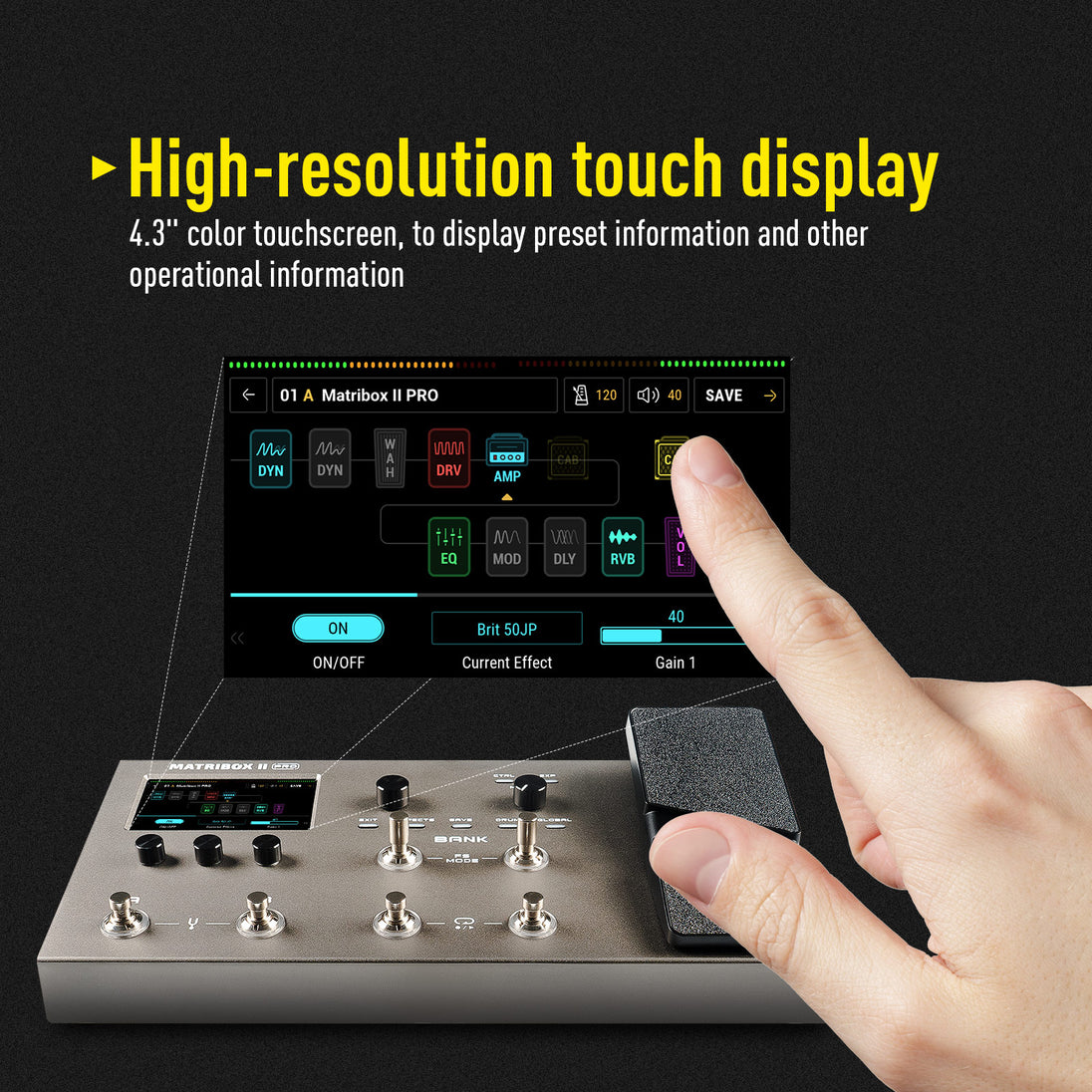
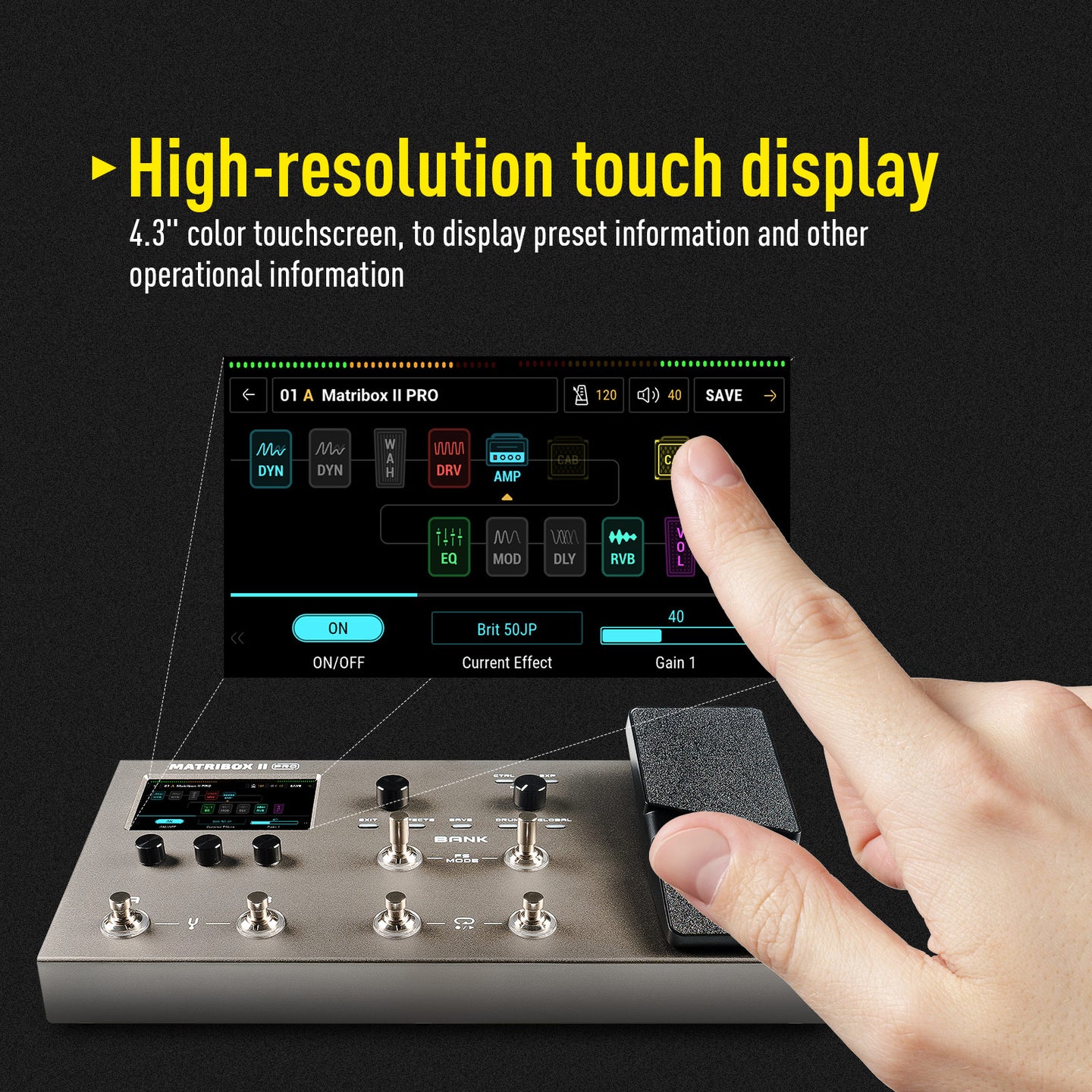
✪ Large color touchscreen with user-friendly interface
✪ Matribox Gen 2 hardware platform with advanced digital modeling technology
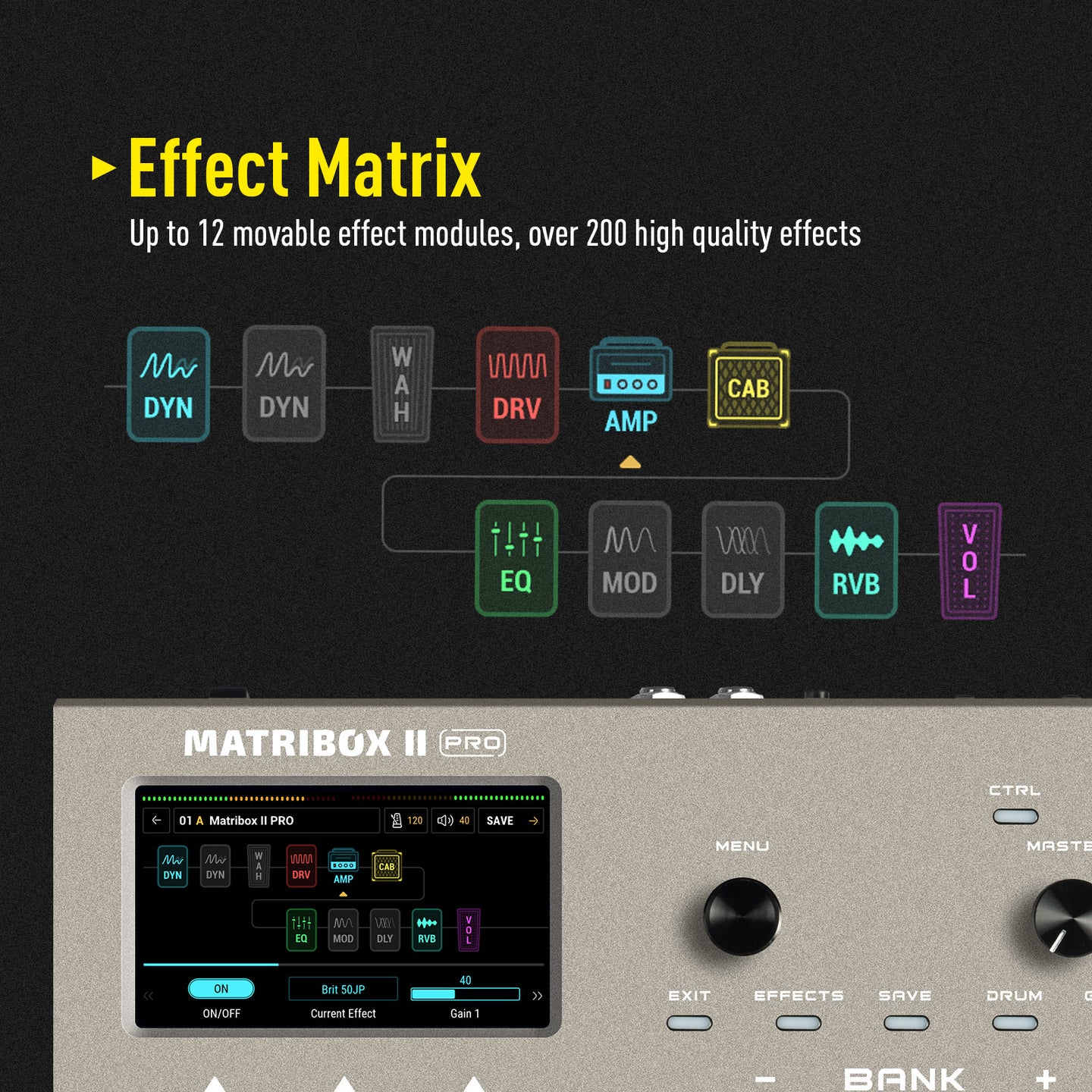
✪ 63 amplifier and over 93 effect pedal simulations
✪ 61 cabinet simulations with support for 20 user IRs
✪ 6 footswitches with two customizable footswitch modes
✪ Built-in expression pedal, support for external pedal or footswitches
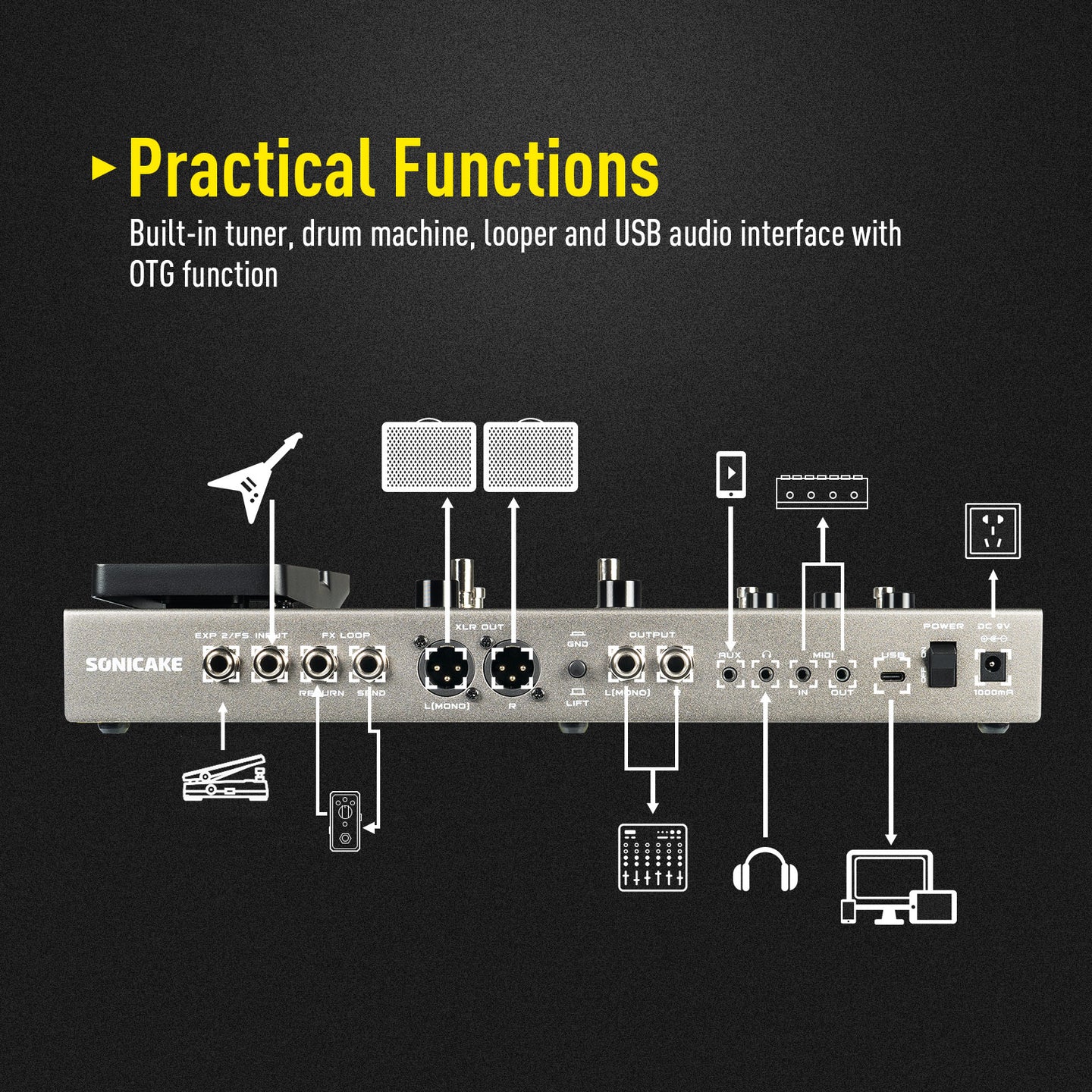
✪ FX LOOP interface supports the 4 Cable Method for connecting other devices
✪ Headphone interface compatible with various impedance headphones
✪2 XLR balanced output for connecting to studio gear, mixer, PA, or FRFR speaker(s)
✪ MIDI I/O for integration with other MIDI devices
✪ With AUX IN and the ability to record via USB Audio
✪ USB Audio supports Win/Mac/iOS/Android systems
✪ USB Audio features multiple sets of virtual I/O interfaces, supporting operations such as Loopback and Re-Amp.
✪ Easy-to-use editing software for Win/Mac
✪ 90-second loop function
✪ 100 drum rhythms, including metronome
✪ Tuner with screen display, fast and accurate
✪240 preset slots (120 factory presets)
✪ Durable metal chassis and footswitches
✪ Powered by 9V DC power supply
● New hardware and digital modeling technology accurately reproduce every detail of the sound with high fidelity and clarity.
● 240+ legacy amp and effects models.
● Stereo effects loop and expression pedal/ footswitch input and XLR out.
● USB Audio Interface with Stereo Audio Streaming, Support OTG function for directly connecting to iOS/Android Mobile Devices.
● Free Mac/Windows Software for Sound Editing and Presets Managing.
----------------------------------------------------
Latest Firmware
Matribox II Pro Firmware V1.2.2
Latest Software (NAM A2 Supported)
Matribox II Pro Software V1.3.1 for Mac
Matribox II Pro Software V1.3.1 for Windows
USB ASIO Driver
Sonicake USB ASIO Driver V5.57.1
User Manual
User Manual for Firmware V1.2.2
⚠️ Windows 11 Notice
If you are using Windows 11 for firmware updates, please update the driver first to ensure a smooth connection.
Learn how to fix Windows 11 update issues.
Attention:
Please make sure to re-calibrate the built-in expression pedal after the update.
----------------------------------------------------
Description:
Matribox II Pro is the second generation Pro version of Sonicake's multi-effects processor. It inherits the rich technical accumulation of the previous generation of products and has made further breakthroughs in technology and quality. The new touch screen brings a more intuitive operation experience, and more pedals and interfaces bring more controllability. The new hardware platform and digital modeling technology can perfectly reproduce every detail of the sound, showing higher accuracy, clarity and fidelity to meet various creative needs.
Features
✪ Large color touchscreen with user-friendly interface
✪ Matribox Gen 2 hardware platform with advanced digital modeling technology
✪ 63 amplifier and over 93 effect pedal simulations
✪ 61 cabinet simulations with support for 20 user IRs
✪ 6 footswitches with two customizable footswitch modes
✪ Built-in expression pedal, support for external pedal or footswitches
✪ FX LOOP interface supports the 4 Cable Method for connecting other devices
✪ Headphone interface compatible with various impedance headphones
✪2 XLR balanced output for connecting to studio gear, mixer, PA, or FRFR speaker(s)
✪ MIDI I/O for integration with other MIDI devices
✪ With AUX IN and the ability to record via USB Audio
✪ USB Audio supports Win/Mac/iOS/Android systems
✪ USB Audio features multiple sets of virtual I/O interfaces, supporting operations such as Loopback and Re-Amp.
✪ Easy-to-use editing software for Win/Mac
✪ 90-second loop function
✪ 100 drum rhythms, including metronome
✪ Tuner with screen display, fast and accurate
✪240 preset slots (120 factory presets)
✪ Durable metal chassis and footswitches
✪ Powered by 9V DC power supply
- Regular price
- $259.99
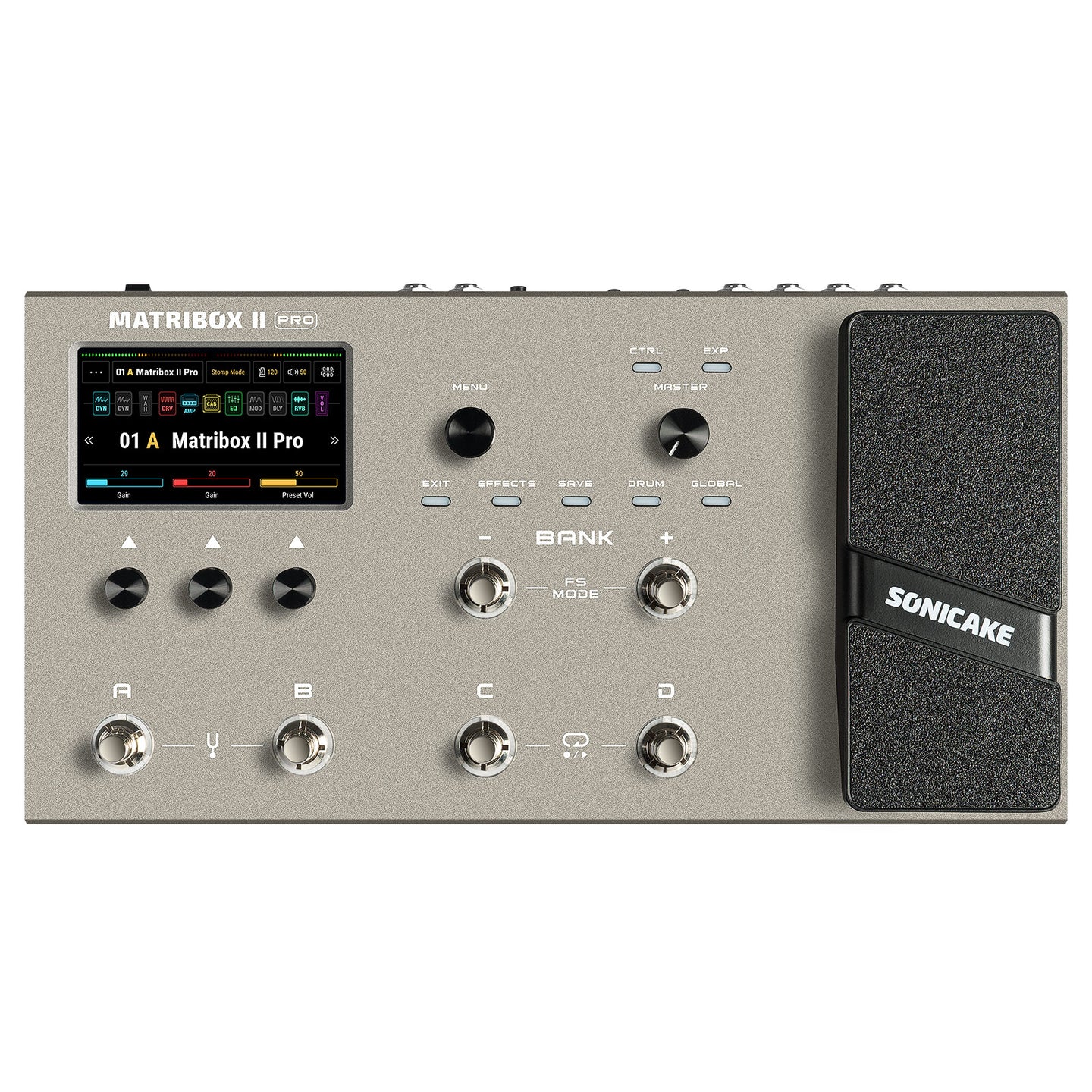



Frequently Bought Together

Product Description
● New hardware and digital modeling technology accurately reproduce every detail of the sound with high fidelity and clarity.
● 240+ legacy amp and effects models.
● Stereo effects loop and expression pedal/ footswitch input and XLR out.
● USB Audio Interface with Stereo Audio Streaming, Support OTG function for directly connecting to iOS/Android Mobile Devices.
● Free Mac/Windows Software for Sound Editing and Presets Managing.
----------------------------------------------------
Latest Firmware
Matribox II Pro Firmware V1.2.2
Latest Software (NAM A2 Supported)
Matribox II Pro Software V1.3.1 for Mac
Matribox II Pro Software V1.3.1 for Windows
USB ASIO Driver
Sonicake USB ASIO Driver V5.57.1
User Manual
User Manual for Firmware V1.2.2
⚠️ Windows 11 Notice
If you are using Windows 11 for firmware updates, please update the driver first to ensure a smooth connection.
Learn how to fix Windows 11 update issues.
Attention:
Please make sure to re-calibrate the built-in expression pedal after the update.
----------------------------------------------------
Description:
Matribox II Pro is the second generation Pro version of Sonicake's multi-effects processor. It inherits the rich technical accumulation of the previous generation of products and has made further breakthroughs in technology and quality. The new touch screen brings a more intuitive operation experience, and more pedals and interfaces bring more controllability. The new hardware platform and digital modeling technology can perfectly reproduce every detail of the sound, showing higher accuracy, clarity and fidelity to meet various creative needs.
Features
✪ Large color touchscreen with user-friendly interface
✪ Matribox Gen 2 hardware platform with advanced digital modeling technology
✪ 63 amplifier and over 93 effect pedal simulations
✪ 61 cabinet simulations with support for 20 user IRs
✪ 6 footswitches with two customizable footswitch modes
✪ Built-in expression pedal, support for external pedal or footswitches
✪ FX LOOP interface supports the 4 Cable Method for connecting other devices
✪ Headphone interface compatible with various impedance headphones
✪2 XLR balanced output for connecting to studio gear, mixer, PA, or FRFR speaker(s)
✪ MIDI I/O for integration with other MIDI devices
✪ With AUX IN and the ability to record via USB Audio
✪ USB Audio supports Win/Mac/iOS/Android systems
✪ USB Audio features multiple sets of virtual I/O interfaces, supporting operations such as Loopback and Re-Amp.
✪ Easy-to-use editing software for Win/Mac
✪ 90-second loop function
✪ 100 drum rhythms, including metronome
✪ Tuner with screen display, fast and accurate
✪240 preset slots (120 factory presets)
✪ Durable metal chassis and footswitches
✪ Powered by 9V DC power supply
Frequently Asked Questions
How to fix “updating/restoring in progress.” stuck on windows 11
Is the signal path in the matribox ii pro linear or parallel?
What are the bitrates and sampling frequencies?
Is seamless switching between preset modes possible?
Can the device run multiple effects of the same type simultaneously, such as two delays or two reverbs?
Is it compatible with matribox ii presets?
Does it support scenes?
Can matribox 2 pro send midi?
How to use pitch shift like a whammy?
Customer Reviews
I've used the Metribox 1 for about 3 years. It's definitely longer and produces a purified sound. I'm glad I changed it. I bought it for about 31, including customs duties.
Very good product, as advertised, I recommend it to everyone.
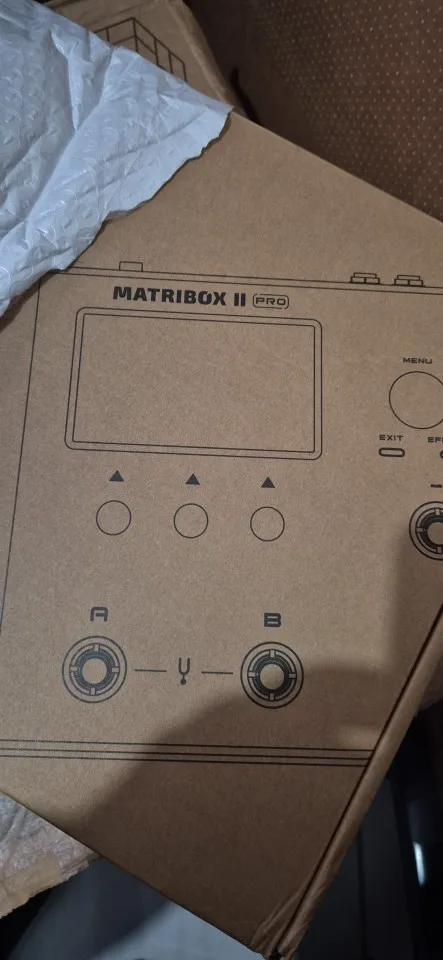
The product is of excellent quality and the delivery was on time. I recommend purchasing it!
It arrived very quickly and in perfect condition. I highly recommend Soniccake.
It's so pretty and I like it.