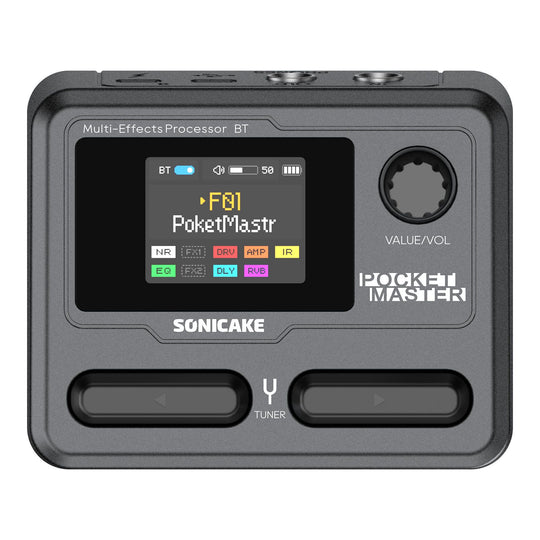
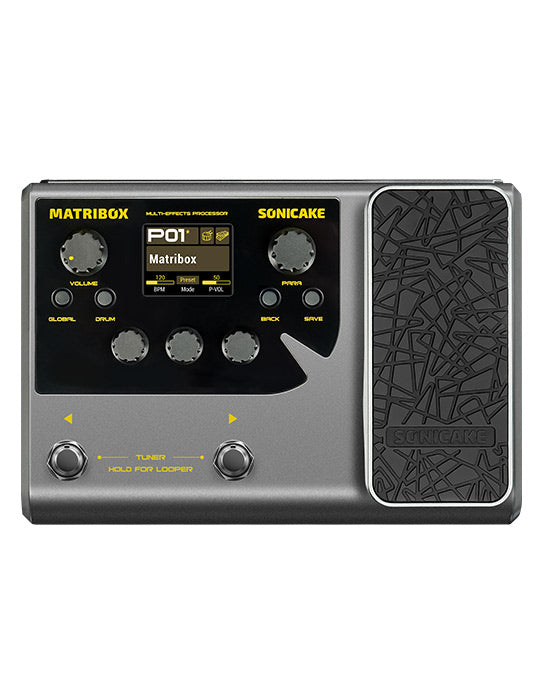
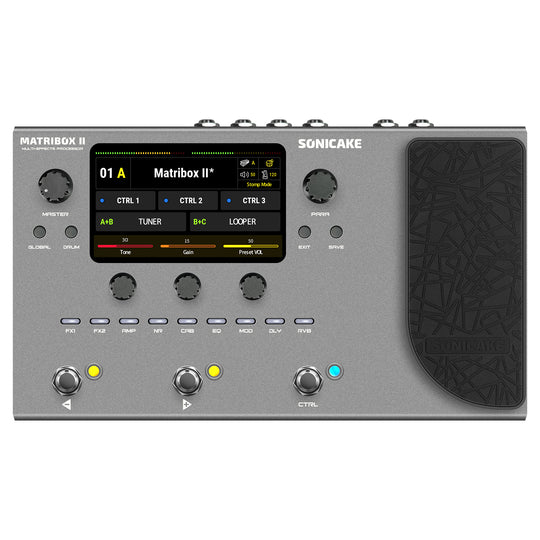
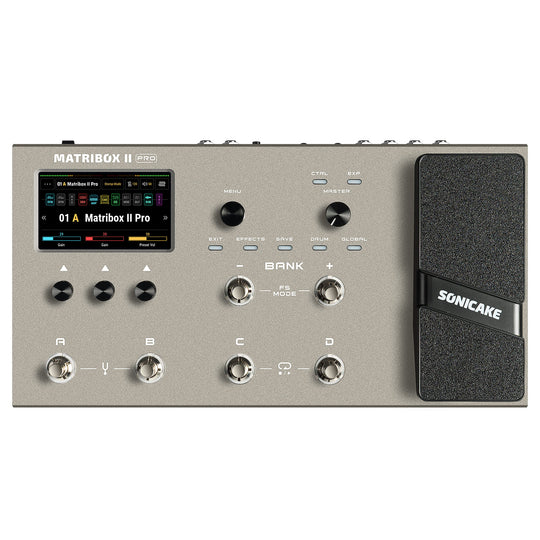
Product Description

● White-Box Digital Modeling Technology with 3rd-party NAM & IR support (5 user slots), delivering more natural, amp-like tone and deeper sound customization than Pocket Master.

● 130+ High-Quality Effects with 9 Simultaneous Effect Blocks, plus dedicated module select buttons for faster, more intuitive on-device control.

● Enhanced Performance Workflow: 100 presets, 100 drum rhythms, 20s looper, tuner, metronome, independent headphone output, and fully flexible signal chain.

● Advanced Connectivity: USB audio interface with loopback & re-amp, OTG support for iOS/Android, wired & wireless BT-MIDI, and EXP/FS input for external expression pedals or footswitch expansion.

● Built for Stage & Portability: True stereo outputs, USB-C, metal footswitches with multi-color LED rings, tap tempo & CTRL switching, powered by 9V DC or USB (not included), with a 2000mAh battery providing up to 4 hours of use.


Description

Smart Box redefines portable tone crafting with its proprietary white-box digital modeling, delivering 130+ premium amp and pedal effects alongside NAM/cabinet IR support for limitless sonic exploration. Despite its compact form, it integrates stage-critical features: an HD color LCD for preset clarity, nine quick-access buttons for real-time module control, and mobile app connectivity for deep editing. Stage-ready responsiveness shines through its specially designed footswitches with multi-color LED rings—enabling instant effect toggling and tap tempo, while dedicated expansion ports (TRS for expression pedals/footswitches and wireless for MIDI controllers) unlock pro-level command. Precision performance, unboxed.


USB ASIO Driver
Sonicake USB ASIO Driver V5.57.1

Firmware
Smart Box Firmware V1.0.5

Software for iOS
SONICLINK V1.6.4 (Apple Store - Search "Sonicake" / "Soniclink")

Software for Android
SONICLINK V1.6.4 (Or Google Play - Search "Sonicake" / "Soniclink")

Software for Mac & Windows
Smart Box Software V1.4.2 for Mac
Smart Box Software V1.4.2 for Windows

User Manual
Smart Box User Manual


Features

✪ Excellent white-box digital modeling technology delivering natural, high-quality tone
✪ Dedicated module-select buttons with full-color display for fast on-device control
✪ True stereo 1/4" outputs and independent headphone output
✪ 24-bit / 44.1kHz high-resolution digital signal processing
✪ 130+ high-quality effects with 9 simultaneous effect modules
✪ Editable signal chain with amp, cabinet, and effect blocks
✪ Supports third-party NAM and cabinet IR files (5 user slots)
✪ USB audio interface with 2-in / 2-out stereo streaming, loopback & re-amp support
✪ 100 presets (factory & user), optimized for guitar, bass, and acoustic simulation
✪ 100 drum rhythms, 20-second looper, and built-in chromatic tuner
✪ Intuitive PC/Mac editor and mobile app for deep editing and preset management
✪ Power via DC 9V or USB Type-C, built-in 2000mAh lithium battery


Specifications

A/D/A Converter: 24-bit
Sampling Frequency: 44.1 kHz
SNR: 103dB
Maximum Simultaneous Effects: 9
Preset Memory: 100 Preset slots, 50 Factory Presets
Analog Input Connection
· IN: 1/4" (6.35mm) Unbalanced (TS), 1MΩ
· EXP/FS: 1/4" (6.35mm) TRS 
Analog Output Connection
· STEREO OUT: 1/4" (6.35mm) Stereo (TRS), 1kΩ
· PHONES: 1/8" (3.5mm) Stereo (TRS), 22Ω 
Digital Connection
· USB Port: USB 2.0 Type-C Port
Size and Weight
· Dimensions: 135mm(W) x 114mm(D) x 51mm(H)
· Unit Weight: 378g
Power
DC Power Requirements: DC 9V center negative, >700mA 
USB Power Requirements: Type-C, DC 5V, >1A
· Built-in Lithium Battery: 2000mAh

Frequently Asked Questions

How to fix “updating/restoring in progress.” stuck on windows 11
Some windows 11 users may see the device stuck on “updating/restoring in progress.” this is a known issue caused by a recent windows 11 update that affects connection with our software, and we are actively working with microsoft to provide a solution. quick fix: use windows 10, a mac, or a virtual machine with windows 10 to complete the update. once done, your device should return to normal. avoid reconnecting to windows 11 until the fix is released. we will publish the official solution immediately once it’s ready.

Customer Reviews

Customer Reviews

Based on 11 reviews
36%
(4)
0%
(0)
9%
(1)
9%
(1)
45%
(5)
U
Ulisses
Missing Per-Preset Expression Control — Major Limitation for Live Use

I purchased the Sonicake Smartbox along with the Flip Volume pedal from the same brand, expecting full integration between the two—especially given the product’s versatility. However, I ran into a very frustrating limitation.

Currently, the expression pedal can only be configured globally: it either controls volume across all banks or controls effects (such as wah) across all banks. There is no option to configure it individually per preset/bank.

This is a serious issue in practice. For example, I would like to use the pedal as volume in one bank and as a wah-wah in another, but that’s simply not possible. This level of flexibility is basic and already exists in other Sonicake products, such as the Matrix line.

It’s hard to understand why the Smartbox lacks this feature, as it significantly limits live usability and forces the user to stick with a single global function.

I sincerely hope Sonicake addresses this through a firmware update, adding per-preset configuration options just like in their other models.

In its current state, the product falls short in this essential aspect.

i
iON..
BT not connecting...

BT is not connecting even it is already found but when you connect it's not connecting

e
erob
Doesn't work as audio interface

I returned Pocket Master which crashed on firmware update. Bought this one thinking it is going to be better.
Tried to connect it to mac, android, ipad, win. Nothing works. Safe time and frustration and buy something from normal company

B
Brian Musick
Firmware updater and Windows 11

For everyone who’s dropping one star previews because for more update won’t work. This is actually a Windows 11 update problem.

Go into Windows Update and uninstall KB5077181. Reboot your computer and the window software works fine.

When I encountered this issue, I reached out to Sonicake Support. They were very quick in getting back to me with the solution.

Thank you, Sonicake!

K
Kevin
The software for PC sucks.

This thing has so much potential but they forgot all the small things. Windows 11 can't update firmware, and the software looks like a empty shell. It literally gives me no options except update firmware (Which doesn't work) and import and export presets. I cannot use this software to modify any presets so what's the point?

BTW the actually Smart Box is great for 95 bucks you cant beat it but they have to do better on the other stuff.

  • Fast Free Shipping

    Get fast and free shipping on all orders

  • Secure payment

    Your payment information is processed securely

  • Customer service

    Contact us for help with any questions or concerns