-
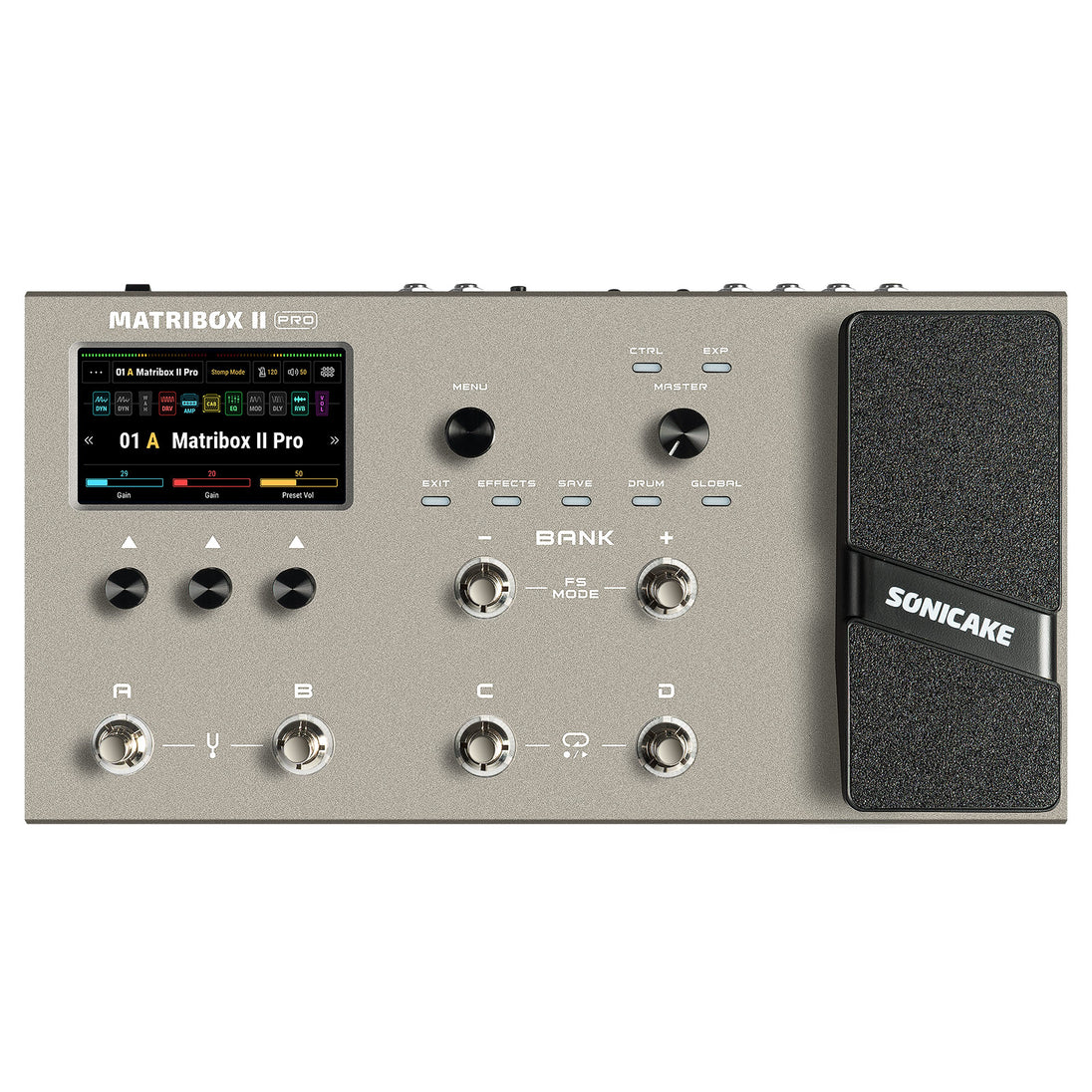 files/QME-200-1.jpg
-
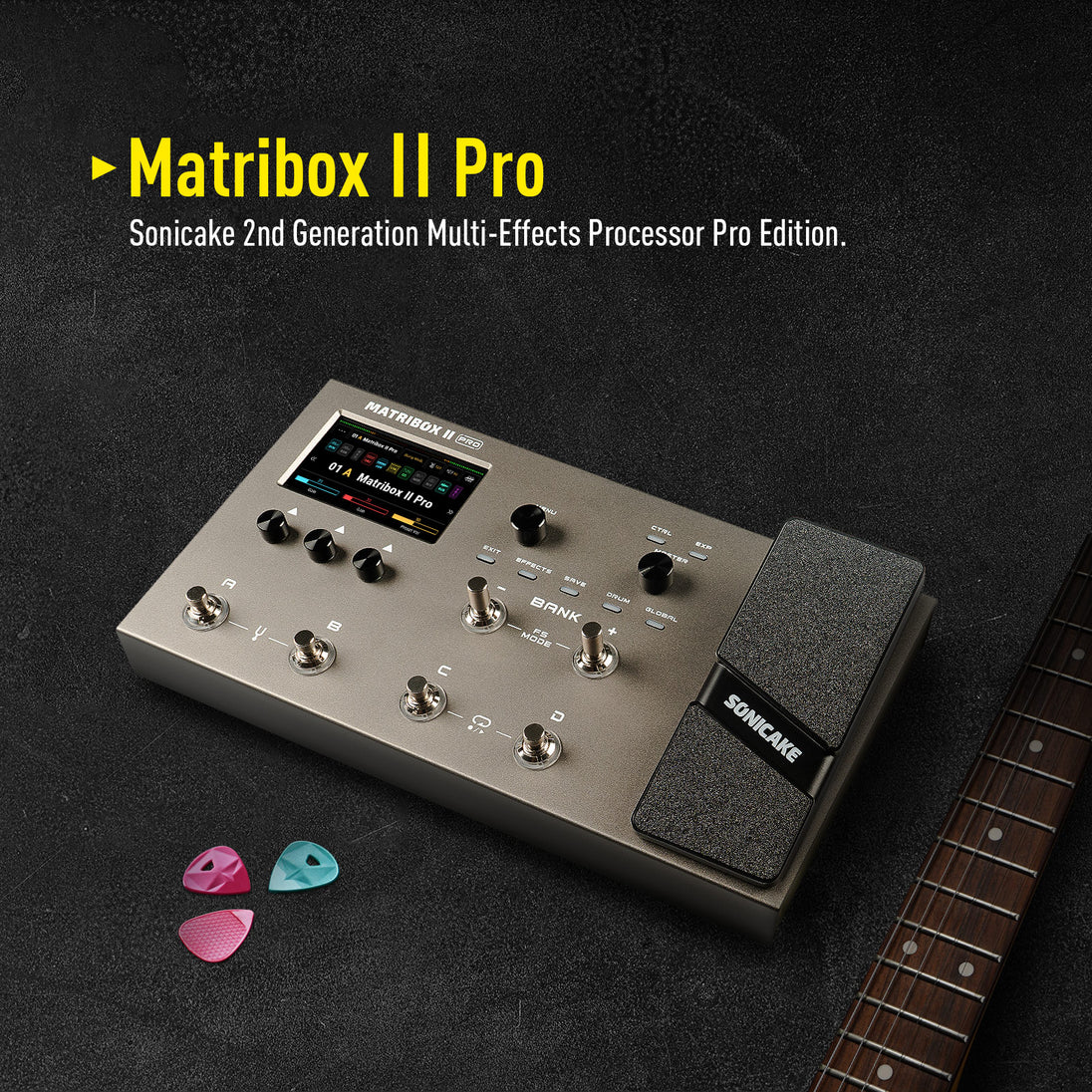 files/QME-200-2.jpg
-
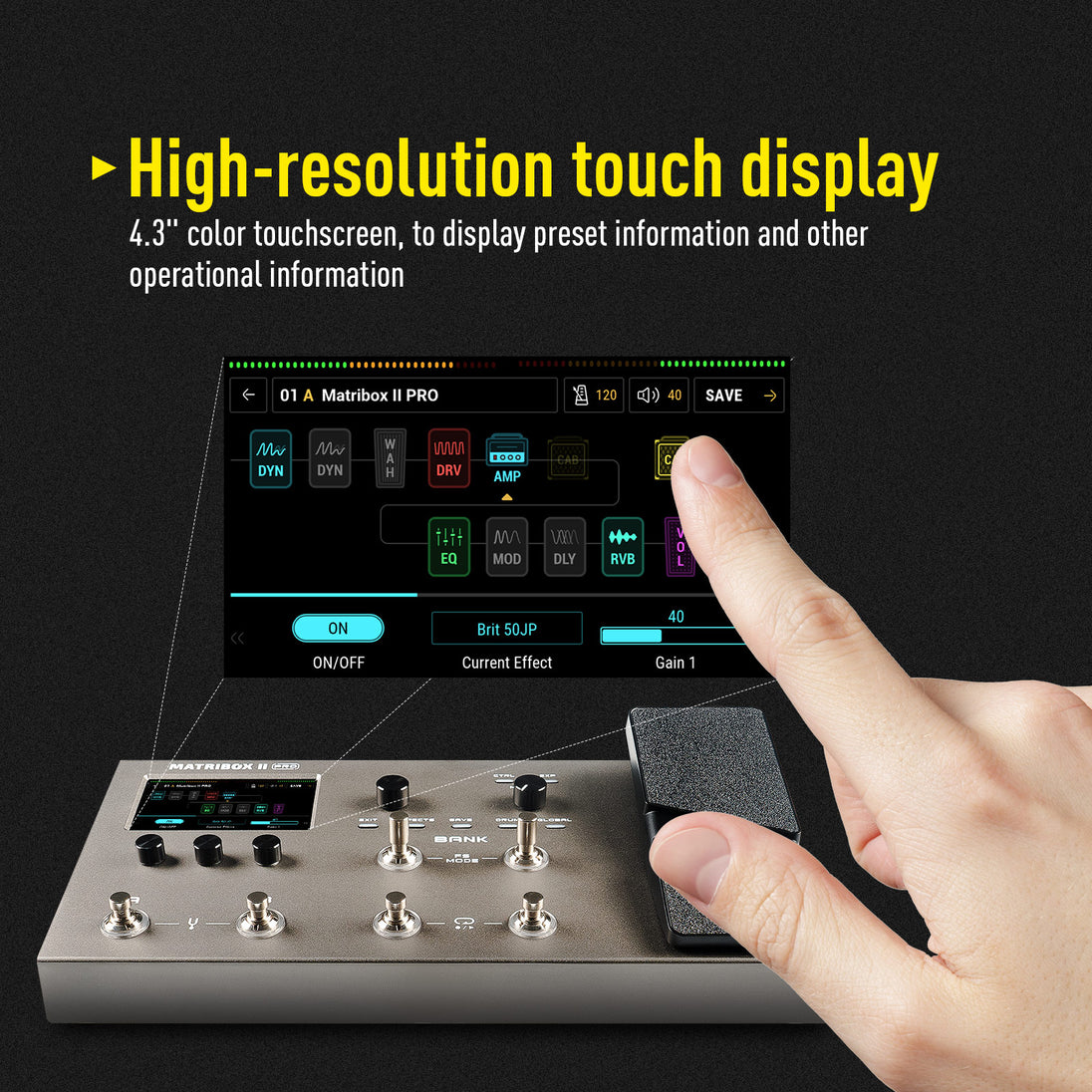 files/QME-200-3.jpg
-
 files/QME-200-4.jpg
-
 files/QME-200-5.jpg
-
 files/QME-200-6.jpg
-
 files/85B4E4FB-EAFF-498f-972A-B61D4BBC081C.png
-
 files/QME-200-7.jpg
-
 files/QME-100_vs_QME-200.jpg
-
 files/20240923134907.png
-
 files/preview_images/e5c03bce2c064203a79e69e53ac6b524.thumbnail.0000000000.jpg
● New hardware and digital modeling technology accurately reproduce every detail of the sound with high fidelity and clarity.
● 240+ legacy amp and effects models.
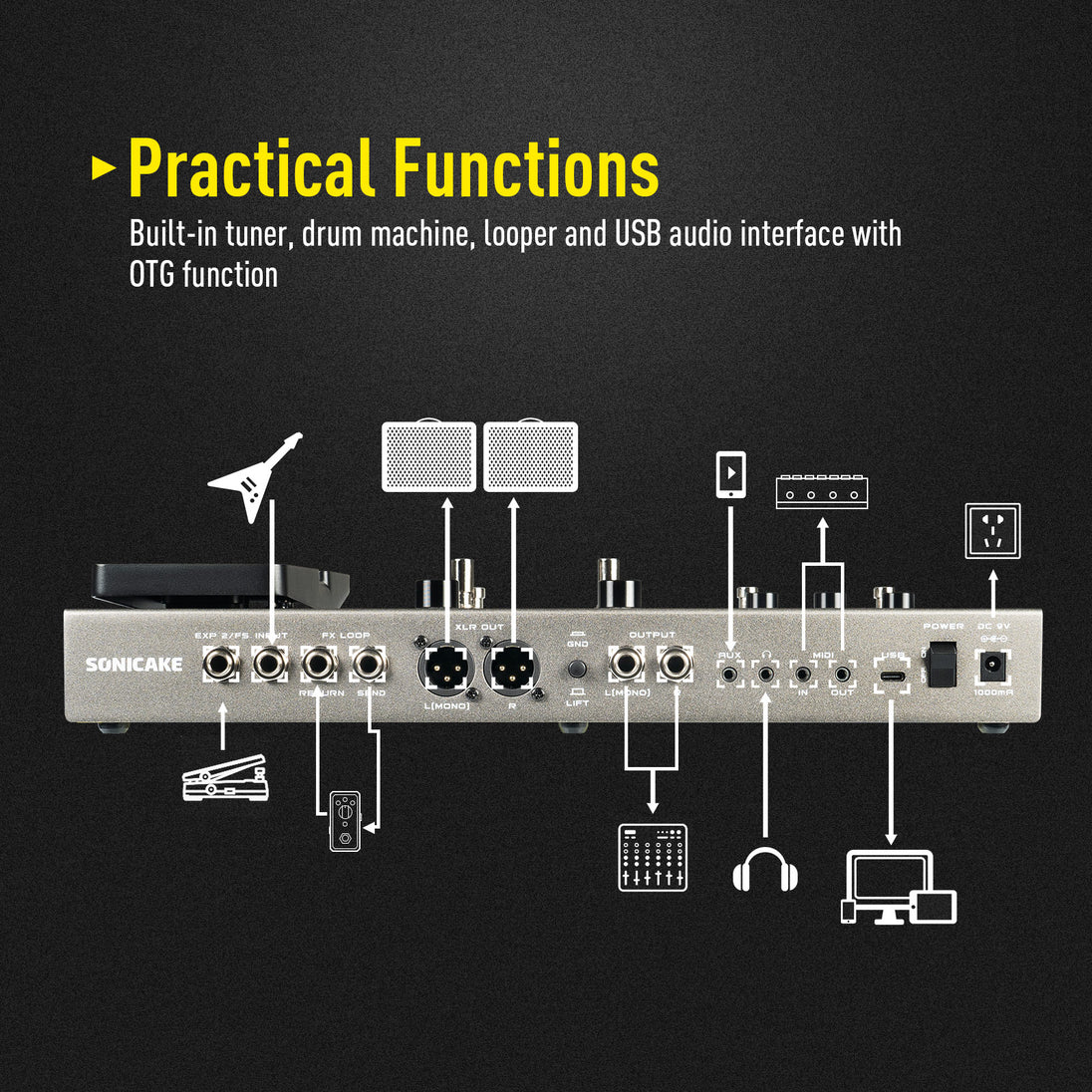
● Stereo effects loop and expression pedal/ footswitch input and XLR out.
● USB Audio Interface with Stereo Audio Streaming, Support OTG function for directly connecting to iOS/Android Mobile Devices.
● Free Mac/Windows Software for Sound Editing and Presets Managing.
----------------------------------------------------
Latest Firmware Version
Matribox II Pro Firmware V1.2.2
Latest Software Version for Mac & Windows
Matribox II Pro Software V1.2.0 for Mac
Matribox II Pro Software V1.2.0 for Windows
ASIO Driver
Sonicake USB ASIO Driver V5.57.1
User Manual
User Manual for Firmware V1.2.2
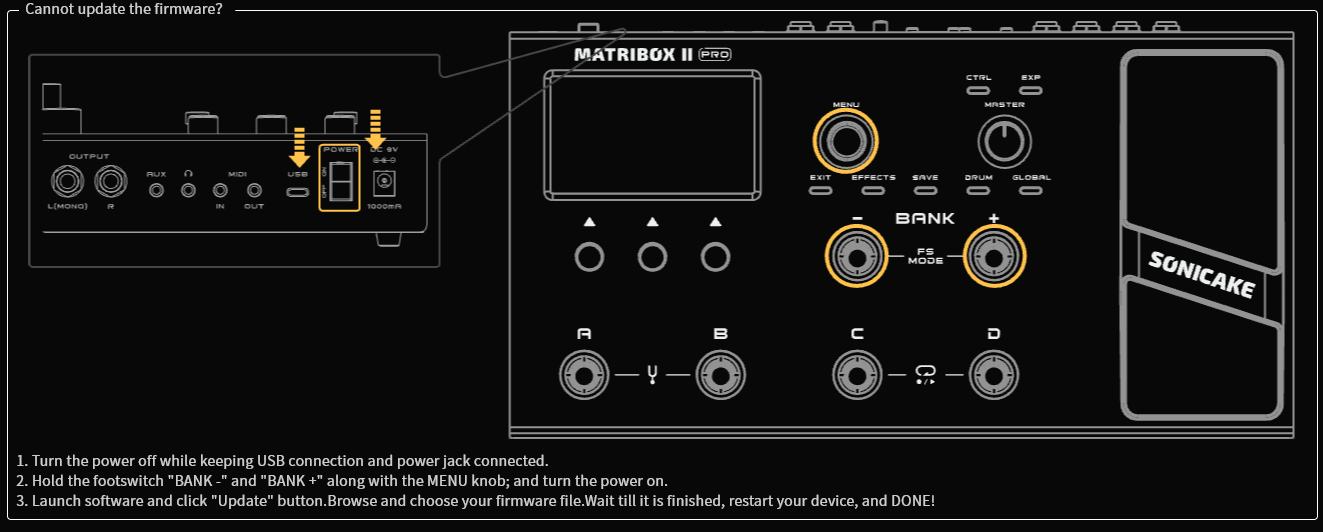
⚠️ Windows 11 Notice
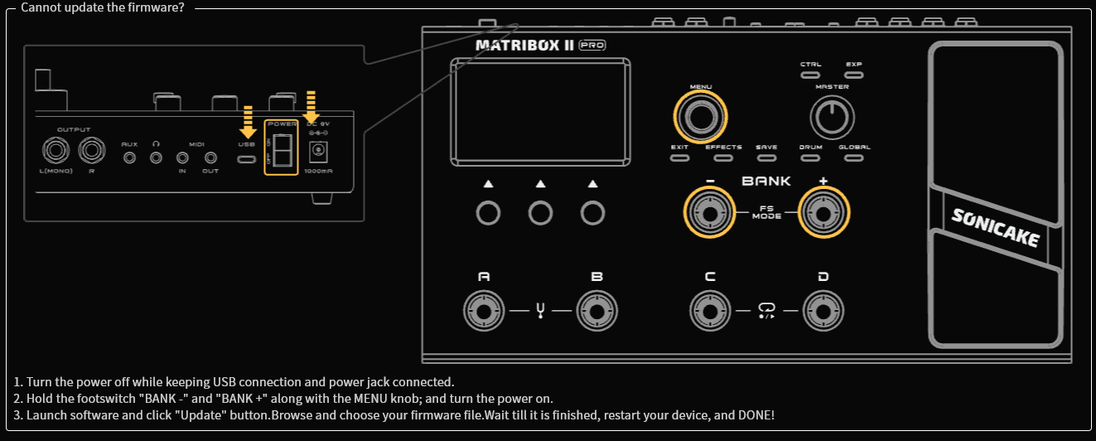
If you are using Windows 11 for firmware updates, please update the driver first to ensure a smooth connection.
Learn how to fix Windows 11 update issues.
Attention:
Please make sure to re-calibrate the built-in expression pedal after the update.
----------------------------------------------------
Description:
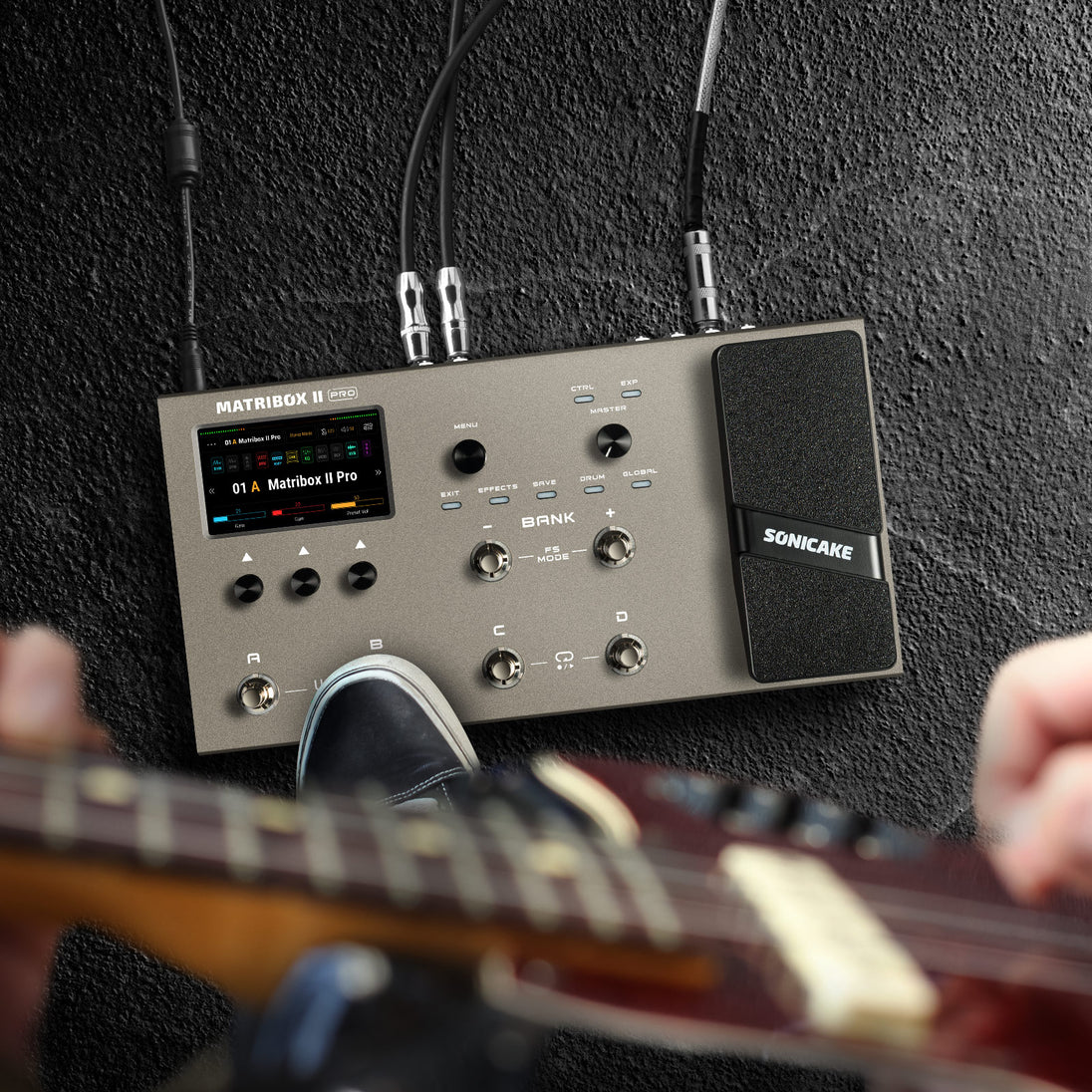
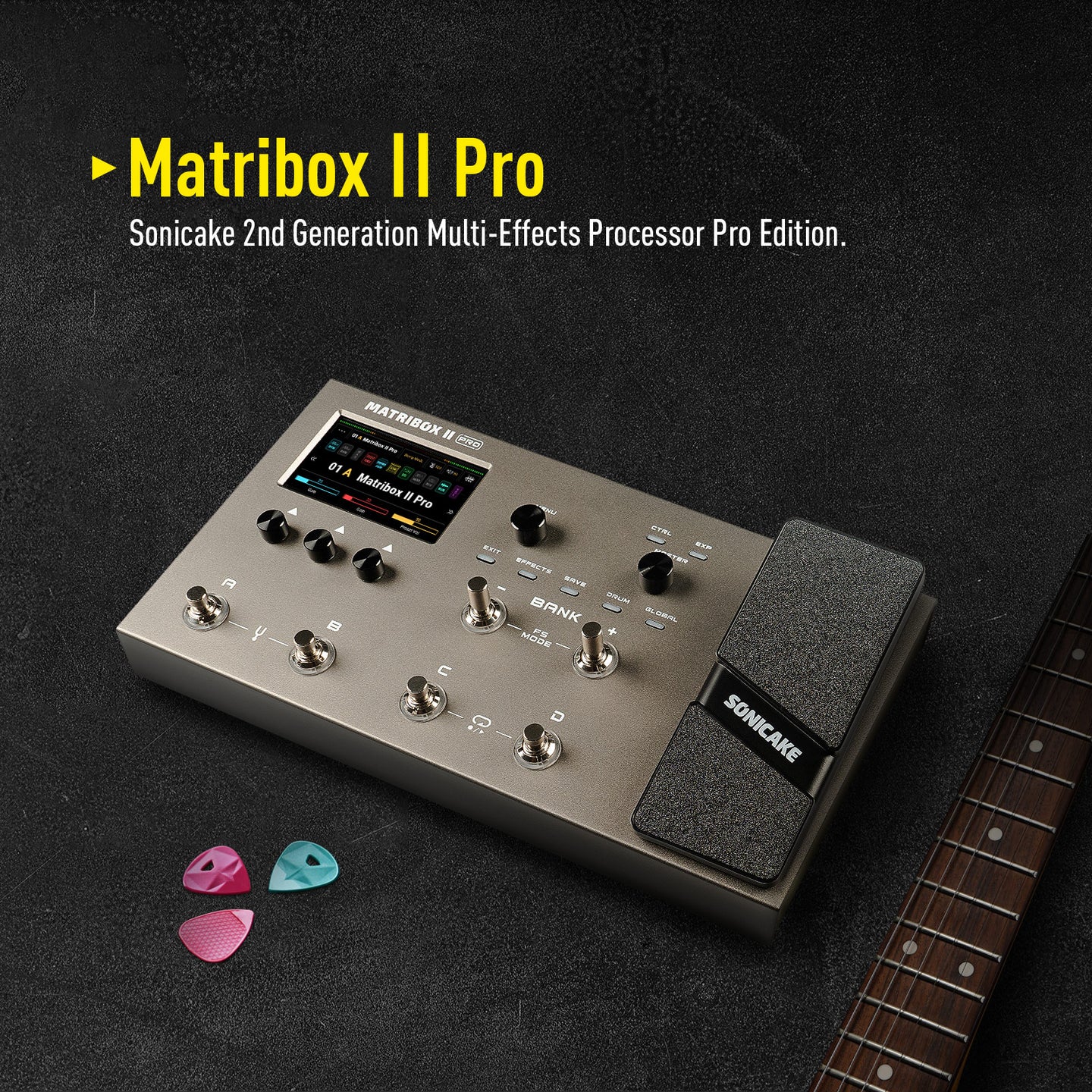
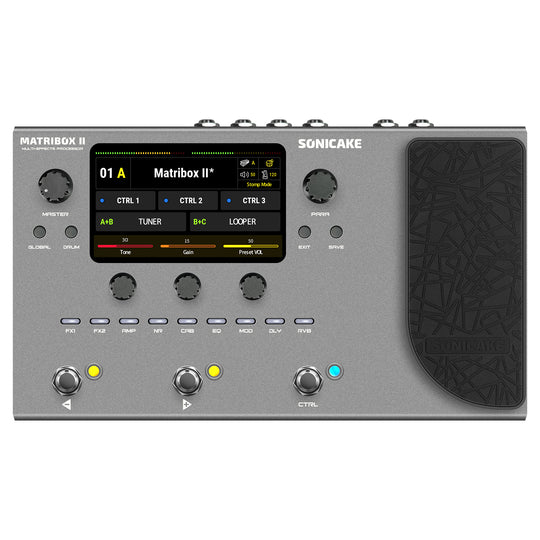
Matribox II Pro is the second generation Pro version of Sonicake's multi-effects processor. It inherits the rich technical accumulation of the previous generation of products and has made further breakthroughs in technology and quality. The new touch screen brings a more intuitive operation experience, and more pedals and interfaces bring more controllability. The new hardware platform and digital modeling technology can perfectly reproduce every detail of the sound, showing higher accuracy, clarity and fidelity to meet various creative needs.
Features
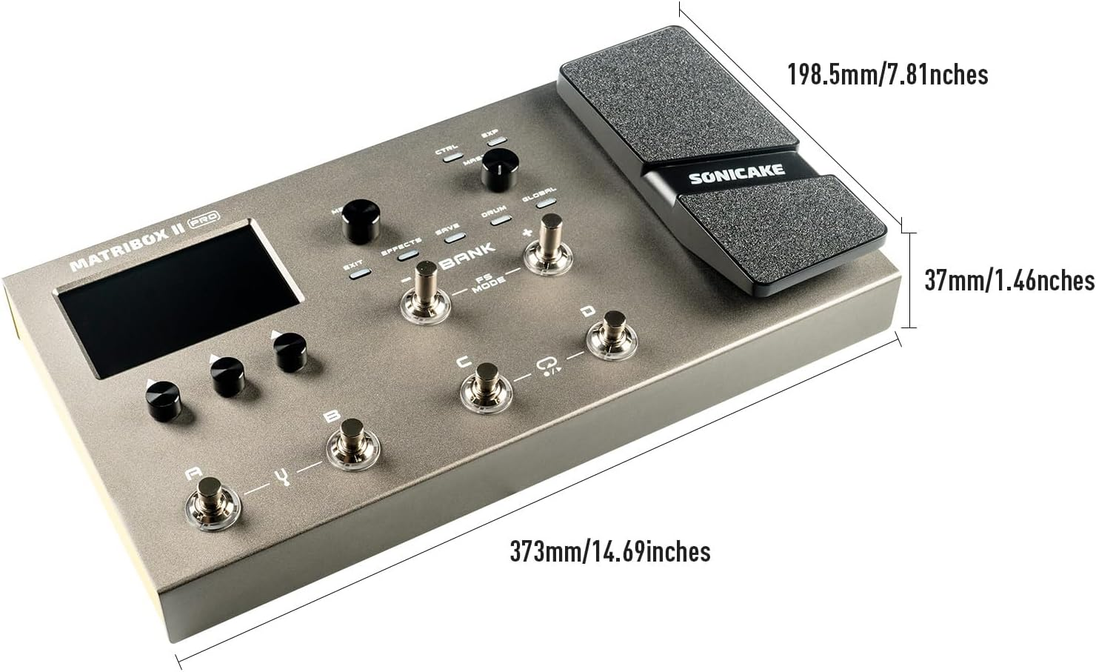
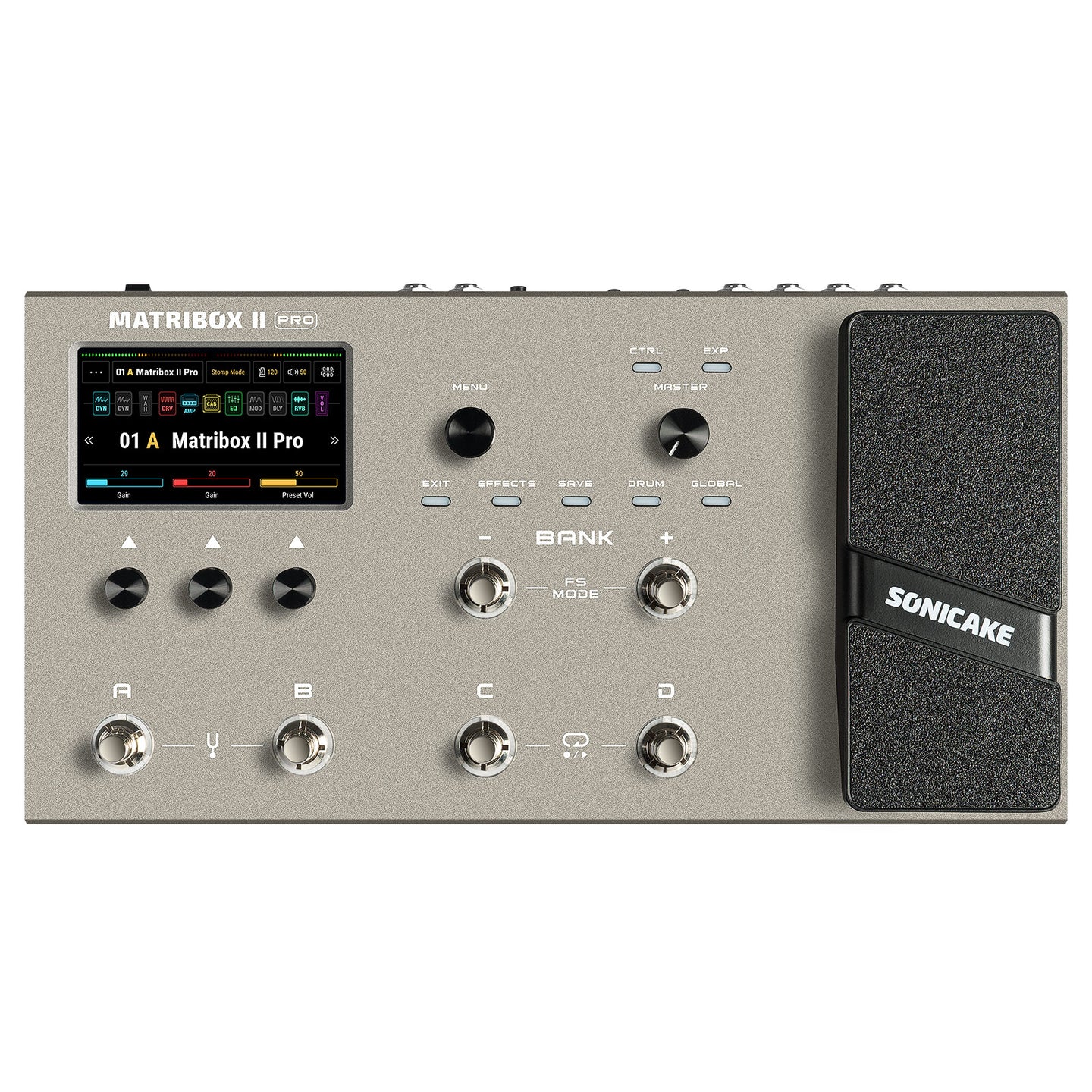
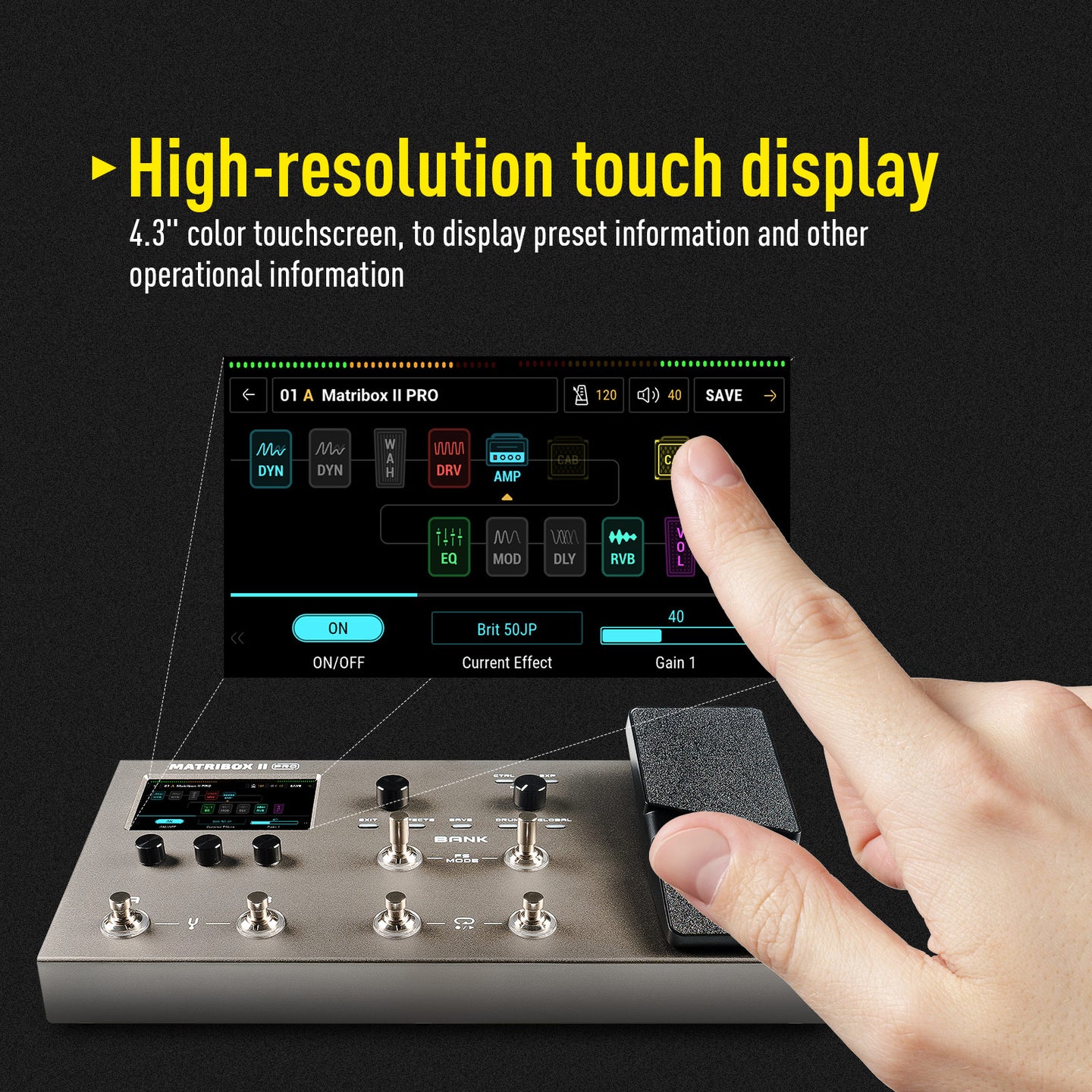
✪ Large color touchscreen with user-friendly interface
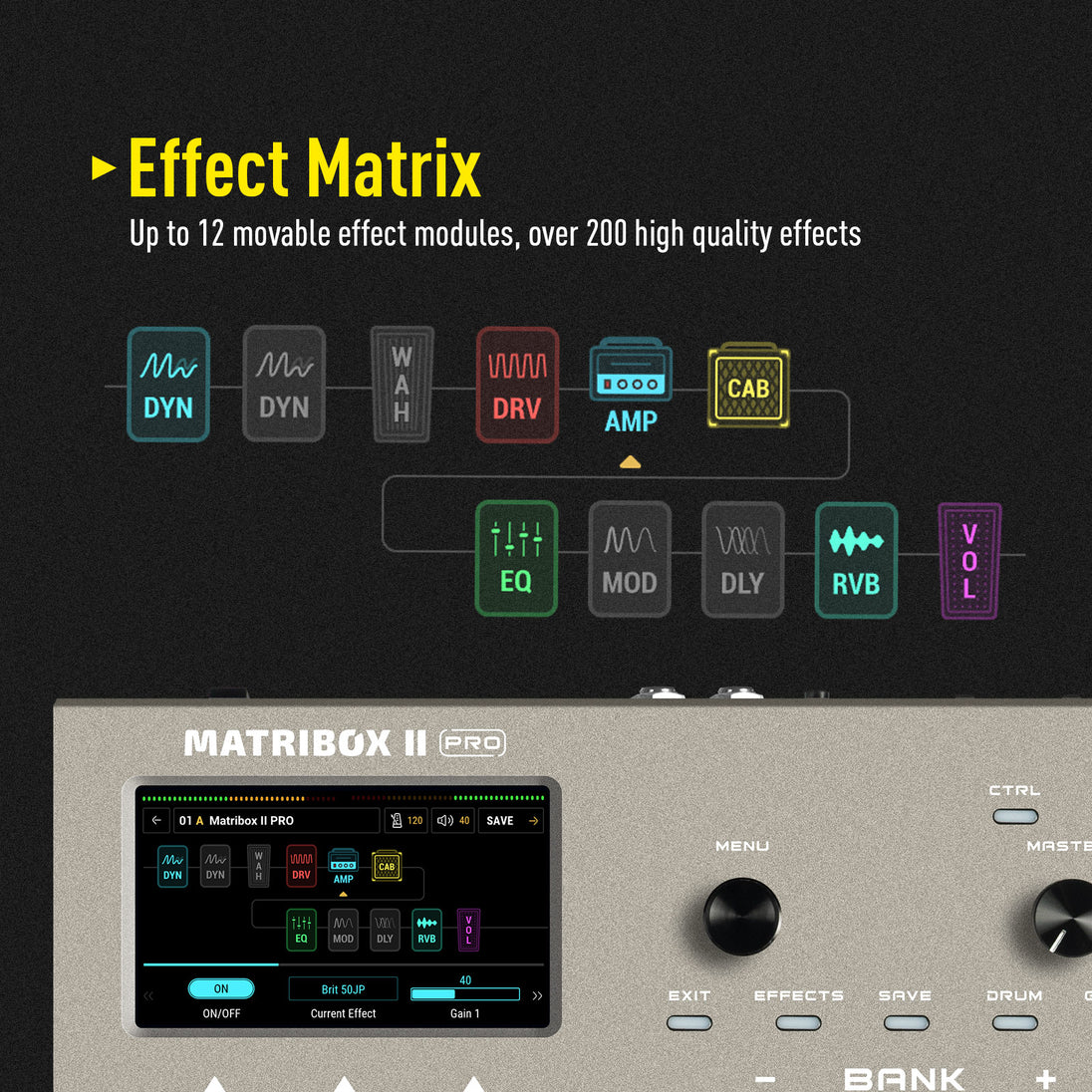
✪ Matribox Gen 2 hardware platform with advanced digital modeling technology
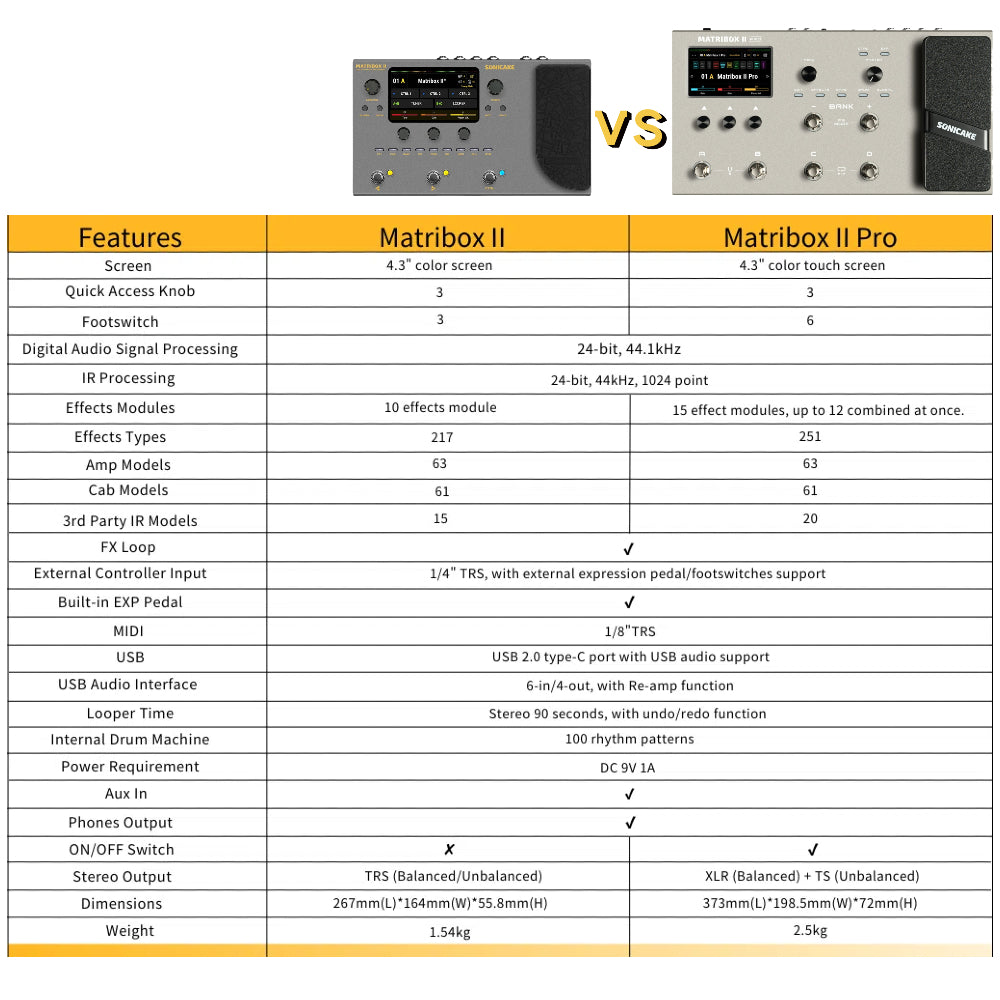
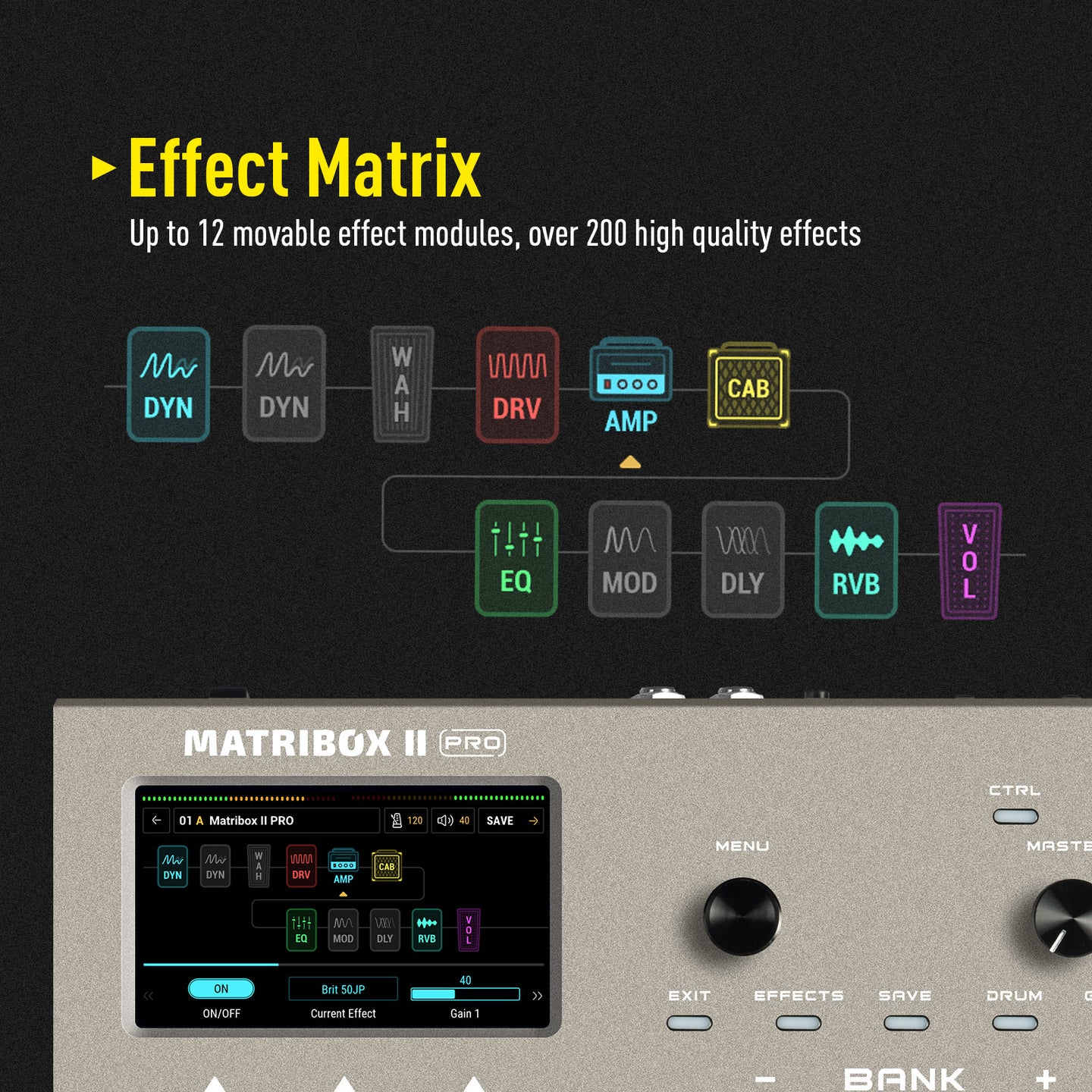
✪ 63 amplifier and over 93 effect pedal simulations
✪ 61 cabinet simulations with support for 20 user IRs
✪ 6 footswitches with two customizable footswitch modes
✪ Built-in expression pedal, support for external pedal or footswitches
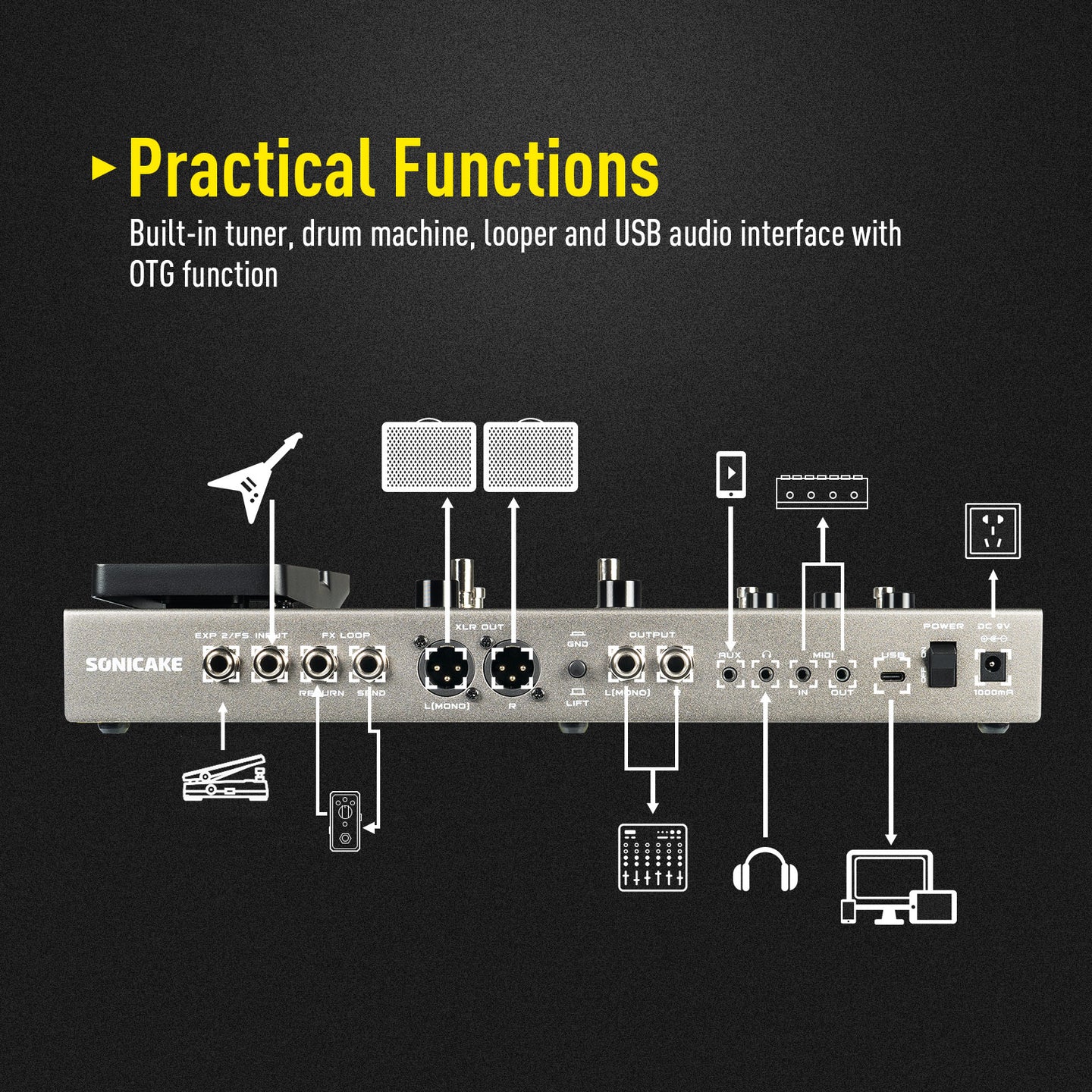
✪ FX LOOP interface supports the 4 Cable Method for connecting other devices
✪ Headphone interface compatible with various impedance headphones
✪2 XLR balanced output for connecting to studio gear, mixer, PA, or FRFR speaker(s)
✪ MIDI I/O for integration with other MIDI devices
✪ With AUX IN and the ability to record via USB Audio
✪ USB Audio supports Win/Mac/iOS/Android systems
✪ USB Audio features multiple sets of virtual I/O interfaces, supporting operations such as Loopback and Re-Amp.
✪ Easy-to-use editing software for Win/Mac
✪ 90-second loop function
✪ 100 drum rhythms, including metronome
✪ Tuner with screen display, fast and accurate
✪240 preset slots (120 factory presets)
✪ Durable metal chassis and footswitches
✪ Powered by 9V DC power supply
● New hardware and digital modeling technology accurately reproduce every detail of the sound with high fidelity and clarity.
● 240+ legacy amp and effects models.
● Stereo effects loop and expression pedal/ footswitch input and XLR out.
● USB Audio Interface with Stereo Audio Streaming, Support OTG function for directly connecting to iOS/Android Mobile Devices.
● Free Mac/Windows Software for Sound Editing and Presets Managing.
----------------------------------------------------
Latest Firmware Version
Matribox II Pro Firmware V1.2.2
Latest Software Version for Mac & Windows
Matribox II Pro Software V1.2.0 for Mac
Matribox II Pro Software V1.2.0 for Windows
ASIO Driver
Sonicake USB ASIO Driver V5.57.1
User Manual
User Manual for Firmware V1.2.2
⚠️ Windows 11 Notice
If you are using Windows 11 for firmware updates, please update the driver first to ensure a smooth connection.
Learn how to fix Windows 11 update issues.
Attention:
Please make sure to re-calibrate the built-in expression pedal after the update.
----------------------------------------------------
Description:
Matribox II Pro is the second generation Pro version of Sonicake's multi-effects processor. It inherits the rich technical accumulation of the previous generation of products and has made further breakthroughs in technology and quality. The new touch screen brings a more intuitive operation experience, and more pedals and interfaces bring more controllability. The new hardware platform and digital modeling technology can perfectly reproduce every detail of the sound, showing higher accuracy, clarity and fidelity to meet various creative needs.
Features
✪ Large color touchscreen with user-friendly interface
✪ Matribox Gen 2 hardware platform with advanced digital modeling technology
✪ 63 amplifier and over 93 effect pedal simulations
✪ 61 cabinet simulations with support for 20 user IRs
✪ 6 footswitches with two customizable footswitch modes
✪ Built-in expression pedal, support for external pedal or footswitches
✪ FX LOOP interface supports the 4 Cable Method for connecting other devices
✪ Headphone interface compatible with various impedance headphones
✪2 XLR balanced output for connecting to studio gear, mixer, PA, or FRFR speaker(s)
✪ MIDI I/O for integration with other MIDI devices
✪ With AUX IN and the ability to record via USB Audio
✪ USB Audio supports Win/Mac/iOS/Android systems
✪ USB Audio features multiple sets of virtual I/O interfaces, supporting operations such as Loopback and Re-Amp.
✪ Easy-to-use editing software for Win/Mac
✪ 90-second loop function
✪ 100 drum rhythms, including metronome
✪ Tuner with screen display, fast and accurate
✪240 preset slots (120 factory presets)
✪ Durable metal chassis and footswitches
✪ Powered by 9V DC power supply
- Regular price
- $299.99



Frequently Bought Together

Product Description
● New hardware and digital modeling technology accurately reproduce every detail of the sound with high fidelity and clarity.
● 240+ legacy amp and effects models.
● Stereo effects loop and expression pedal/ footswitch input and XLR out.
● USB Audio Interface with Stereo Audio Streaming, Support OTG function for directly connecting to iOS/Android Mobile Devices.
● Free Mac/Windows Software for Sound Editing and Presets Managing.
----------------------------------------------------
Latest Firmware Version
Matribox II Pro Firmware V1.2.2
Latest Software Version for Mac & Windows
Matribox II Pro Software V1.2.0 for Mac
Matribox II Pro Software V1.2.0 for Windows
ASIO Driver
Sonicake USB ASIO Driver V5.57.1
User Manual
User Manual for Firmware V1.2.2
⚠️ Windows 11 Notice
If you are using Windows 11 for firmware updates, please update the driver first to ensure a smooth connection.
Learn how to fix Windows 11 update issues.
Attention:
Please make sure to re-calibrate the built-in expression pedal after the update.
----------------------------------------------------
Description:
Matribox II Pro is the second generation Pro version of Sonicake's multi-effects processor. It inherits the rich technical accumulation of the previous generation of products and has made further breakthroughs in technology and quality. The new touch screen brings a more intuitive operation experience, and more pedals and interfaces bring more controllability. The new hardware platform and digital modeling technology can perfectly reproduce every detail of the sound, showing higher accuracy, clarity and fidelity to meet various creative needs.
Features
✪ Large color touchscreen with user-friendly interface
✪ Matribox Gen 2 hardware platform with advanced digital modeling technology
✪ 63 amplifier and over 93 effect pedal simulations
✪ 61 cabinet simulations with support for 20 user IRs
✪ 6 footswitches with two customizable footswitch modes
✪ Built-in expression pedal, support for external pedal or footswitches
✪ FX LOOP interface supports the 4 Cable Method for connecting other devices
✪ Headphone interface compatible with various impedance headphones
✪2 XLR balanced output for connecting to studio gear, mixer, PA, or FRFR speaker(s)
✪ MIDI I/O for integration with other MIDI devices
✪ With AUX IN and the ability to record via USB Audio
✪ USB Audio supports Win/Mac/iOS/Android systems
✪ USB Audio features multiple sets of virtual I/O interfaces, supporting operations such as Loopback and Re-Amp.
✪ Easy-to-use editing software for Win/Mac
✪ 90-second loop function
✪ 100 drum rhythms, including metronome
✪ Tuner with screen display, fast and accurate
✪240 preset slots (120 factory presets)
✪ Durable metal chassis and footswitches
✪ Powered by 9V DC power supply
Frequently Asked Questions
How to fix “updating/restoring in progress.” stuck on windows 11
Is the signal path in the matribox ii pro linear or parallel?
What are the bitrates and sampling frequencies?
Is seamless switching between preset modes possible?
Can the device run multiple effects of the same type simultaneously, such as two delays or two reverbs?
Is it compatible with matribox ii presets?
Does it support scenes?
Can matribox 2 pro send midi?
How to use pitch shift like a whammy?
Customer Reviews
To Sonicake Team,
Please prioritize providing regular updates and information, not just when critical issues arise. Consistent communication is essential to building and maintaining trust with your customers.
Do not neglect your customers, regardless of how affordable your product is. However, since the Matribox II Pro is a "Pro" unit, users rightly expect a flawless experience and top-tier support.
"A brand is not just a product; it’s the promise you make to your customers."
Parabéns pela última atualização. Ficou muito bom!
Sou um grande fã do David Gilmour do Pink Floyd e somos uma comunidade que consome muitos produtos em busca de timbres semelhantes.
Alguns concorrentes possuem efeitos que são necessários para um som "Gilmour" e ficaríamos muito felizes de ter esses efeitos na Matribox Pro:
Big Muff Russian ou Ram's Head: O Big Muff é essencial no som Gilmour mas não é qualquer pedal. Os modernos geralmente não servem. Teria que ser essas versões antigas. Muitos outros multi efeitos tem. O Big Muff que tem na Matribox é muito digital, decididamente não está bom assim.
Tube Drive / BK Buttler: pedal de Overdrive muito usado por Gilmour. A exemplo do BM muitos fabricantes incluem esse pedal de Overdrive.
Amplificador Hiwatt: o amplificador ideal para Pink Floyd, também incluso na concorrência, na Matribox temos os gabinetes Hiwatt e Wem, mas não temos o simulador de amplificador.
Creio que com apenas estes efeitos já agradariam em muito esta parcela de usuários. Fica a sugestão. Saúde a toda equipe Sonicake!
Great job Sonicake, with firmware 1.2.2 the Matribox 2 pro has become a very nice pedalboard, the Harmony D is fantastic, thanks.
At first I had problems with Windows 11, but I resolved them. I watched the update tutorial on the official YouTube page. If you have problems, simply use Windows 10 and make sure to install the software, but update the firmware first.
al principio tuve problemas, con el windows 11, pero resolví, vi el titorial de actualización de la pagina oficial en youtube, si tienen problemas sencillamente use Windows 10 y asegurense de instalar el software pero actualizando primero el firmware
Realmente estoy muy contento al ver que agregaron una nueva reverb, dos delays, global tempo etc, sin embargo veo que otros han tenido problemas al instalarla, gracias a Dios no fue mi caso (tengo windows 10), en verdad está espectacular, me gustó mucho la reverb como suena para mi trabajo y para la iglesia está espectacular, solo tengan cuidado e instalen solo en windows 10, no windows 11, sería bueno en un futuro agregar la opción de poner 2 amplificadores (dual amp), para que salgan en estéreo, (con clones si es posible) gracias!, en verdad satisfecho de haber comprado!